
Best AI Tools for Translating Documents (2026)
A document isn't a sentence. Formatting has to survive, terminology has to stay consistent, and the output has to read like someone wrote it. I tested contracts, reports, and manuals against every tool that claims to handle whole documents.
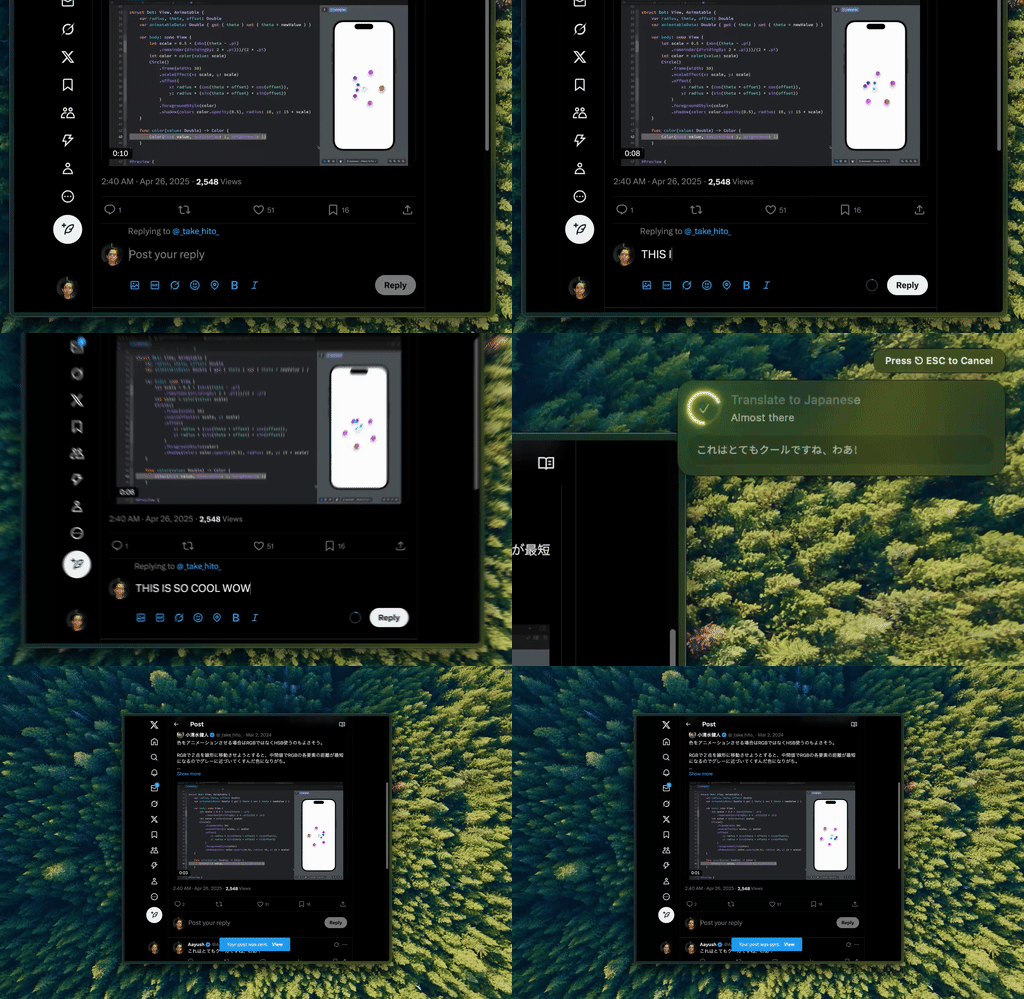
Type Mac handles the sentences and paragraphs inside a document once I select them, tone and register intact, not word for word.
Three ways to translate a document, ranked by what breaks first
| Tool | Price | Formatting | Best for |
|---|---|---|---|
| LLM direct (GPT, Claude, Gemini) | API cost, roughly 30 to 60 cents per 10-page doc | Plain text, rebuild yourself | Legal, marketing, anything where tone matters |
| DeepL | Free tier (3 docs/mo, 5MB) or roughly $9/mo Pro | Preserved | European languages |
| Google Translate | Free | Hit or miss | Widest language coverage |
LLMs get the nuance, lose the layout
GPT, Claude, and Gemini beat dedicated translation tools on context-heavy content. A legal contract has implications DeepL won't catch; marketing copy needs cultural adaptation, not word-for-word substitution. Tell Claude "translate this contract from German to English, keep legal terminology precise, flag phrases without a direct legal equivalent" and you get something a traditional tool can't produce. The tradeoff: LLMs hand back plain text, so rebuilding tables in a 50-page manual is tedious. For a two-page email, it doesn't matter.
DeepL keeps the layout, loses the nuance outside Europe
DeepL preserves formatting in a PDF, Word doc, or PowerPoint, with translations that read like a person wrote them. Pro adds unlimited documents plus glossary support. For French, German, Spanish, and Italian, it's hard to beat.
Google Translate covers languages nobody else does
Far more language pairs than anyone else here, so Swahili to Bengali is probably your only option. Format preservation is hit or miss: tables come through fine sometimes, mangled other times.
My actual workflow, document by document
Formatted document in a European language: DeepL first. Nuanced content, legal, marketing, anything where tone matters: an LLM, and I do that sentence-level work through Type Mac instead of a separate chat tab. Quick paragraph: select it, hit the shortcut, done. A 10-page LLM translation runs roughly 30 to 60 cents against $50 to $200-plus for a human translator. Get a human to review anything legally binding or public-facing.
Cloud tools upload your document; BYOK doesn't route through us
Google and DeepL upload your document to their servers, and some use content for model training, so check the retention policy first; the wider privacy question is in this piece. A BYOK app sends text straight to the provider you picked, no middleman storing it. I covered the cost side of running everything through your own API key in a separate piece.
Always verify before you send
Spot-check numbers, dates, proper nouns, and technical terms. A quick back-translation, translating the output back to the original language, surfaces major issues fast. For anything legally binding, professional review stays non-negotiable. For the app-level comparison, see the broader Mac translation app roundup.
What I run long documents through now
Type Mac handles the sentence-level and paragraph-level work now, DeepL still gets the full 50-page PDF:
- It works on text I select, so short passages don't need a separate upload step
- The model carries context and register the way a translator would, not a dictionary swap
- One shortcut covers translation and the edit after: cutting terminology, tightening a clause
The honest limitation: it edits text you select rather than ghostwriting a translation of a whole file from nothing, so a 50-page manual is still DeepL's job until I need to touch specific paragraphs by hand.
Need to translate part of a document without opening a new tab? Type Mac translates whatever you select with GPT, Claude, or Gemini, BYOK, no upload required.