
Best AI Tools for Developers Writing Documentation
Every grammar and writing extension I've tried lives in the browser, and Xcode doesn't have a browser tab. I wrote documentation the copy-paste way for months, notes in a scratch file, paste into a chat window, paste the answer back, before I got tired of it and looked for something that worked inside the editor.
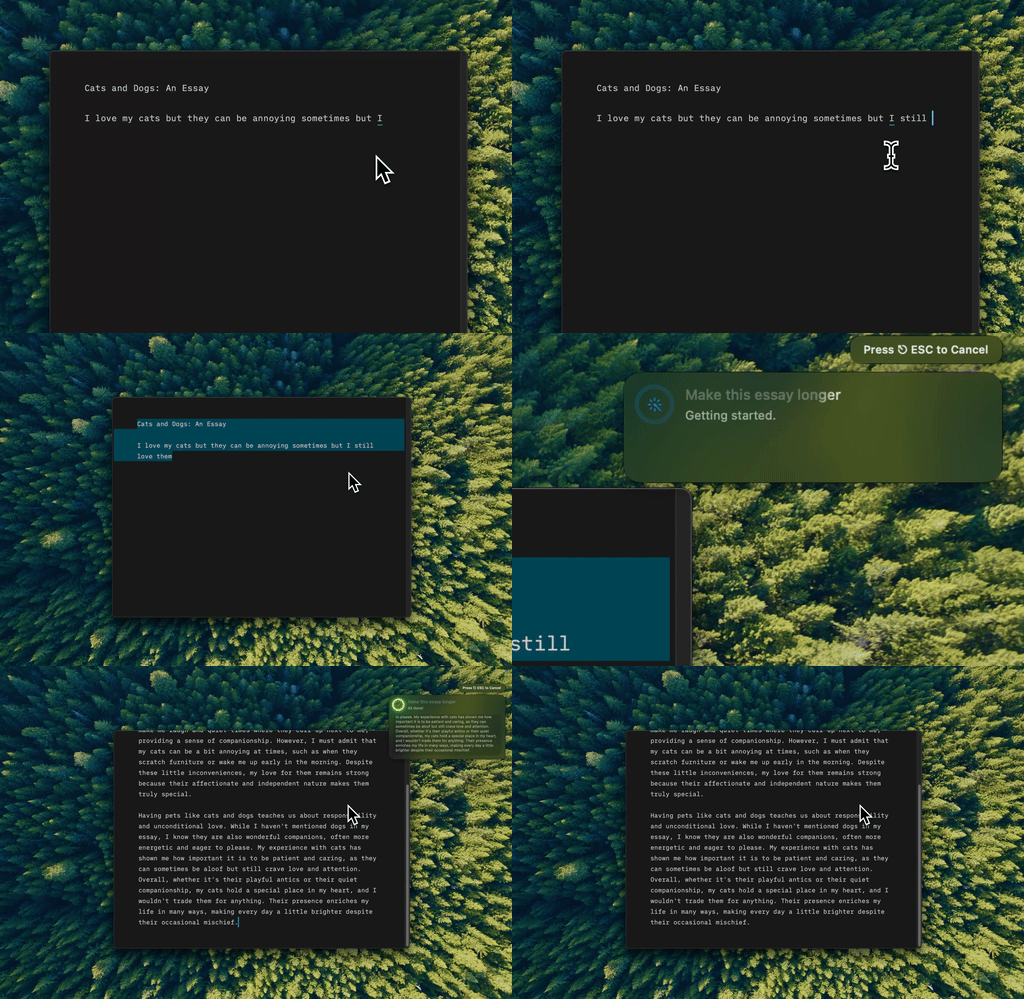
Type Mac turning a one-line note into a doc comment, without leaving the file.
README generation gets you most of the way there
You know what your project does and have rough notes about installation and usage. Actually writing ## Installation with clear steps feels like pulling teeth. Feed an AI your notes and ask it to structure a README: installation, usage, configuration, contributing. What's left is verifying the commands.
Commit messages: hand it the diff and the why
"Fixed stuff" is not a commit message, but a proper conventional commit takes friction most developers skip. AI can take a diff and produce something future-you will actually read, as long as you give it a sentence about why. Without the why, you get accurate but useless messages.
The tools that can't reach Xcode or a terminal pane
Browser extensions and web chat windows assume your text lives in a browser tab. A doc comment in Xcode or a commit message in git's $EDITOR isn't reachable from one, so the workflow becomes alt-tab, paste into a browser, generate, copy back. That round trip is where most developers give up and skip the docs. I've written about why browser-based tools stop working the moment you leave Chrome; a doc comment inside Xcode is exactly that case.
Doc comments: explain why, not what
AI defaults to commenting the obvious, like // increment counter above counter += 1. Tell it explicitly: explain the non-obvious parts, skip what's self-explanatory. Review every comment it generates. A bad one misleads, worse than none at all.
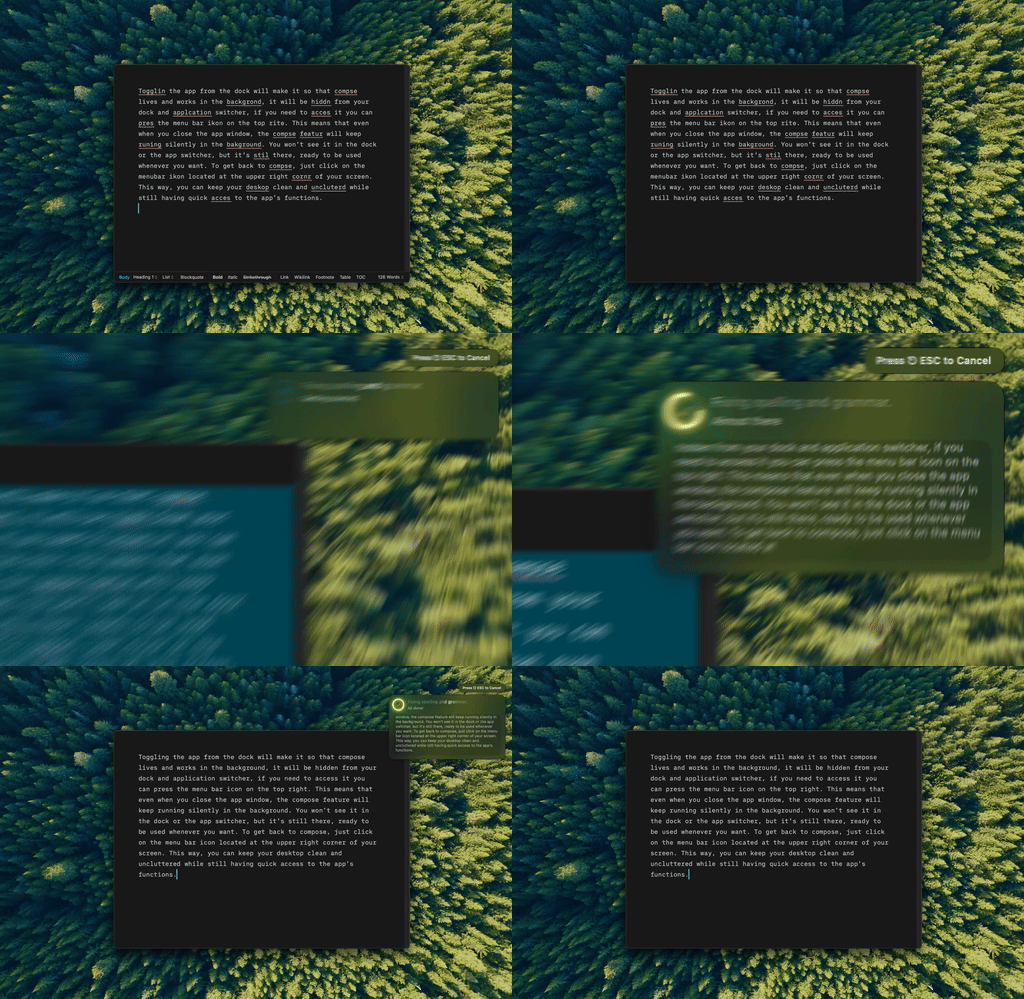
Type Mac tightening a comment in the same file I wrote it in, no separate window.
API documentation is where AI actually earns its keep
Given a route handler, it produces a structured doc: endpoint description, parameters, request and response examples, error codes. The format stays consistent, half the battle with API docs. Verify accuracy, but the scaffolding saves time.
Verify everything before you trust it
AI will confidently document features that were never built or write example code that doesn't compile. Check every claim before trusting generated docs as more than a draft. The same overconfidence shows up in academic citations: confident and wrong is confident and wrong, whatever the domain. From there it's rough notes, select, press a shortcut, expanded documentation in place, the same habit behind keyboard-first work on a Mac.
What's open inside my editor
I kept the tool that reached the places the others couldn't: Xcode, the terminal, a commit message editor.
- Works inside Xcode, VS Code, and the terminal since it hooks into macOS Accessibility, not a browser tab
- One shortcut for READMEs, commit messages, and doc comments, instead of three prompts in three tabs
- BYOK points it at whatever model you trust for code: Claude Opus 5, GPT-5.6, or Gemini 3.6 Flash
The honest limitation: it needs Accessibility permission the first time, since that's how it reads and replaces selected text system-wide. Worth pausing on if you read every permission prompt before clicking allow.
Stop alt-tabbing to write a commit message. Type Mac works inside Xcode the same way it works everywhere else.