
Best AI Tools for Non-Native English Speakers (2026)
Writing in a second language is exhausting in a way native speakers never have to think about. The thought is fully formed in your head; finding the right English words, the correct grammar, phrasing that sounds natural instead of textbook, is where the energy goes. I spent months testing what actually closes that gap versus what flags the same mistakes over and over.
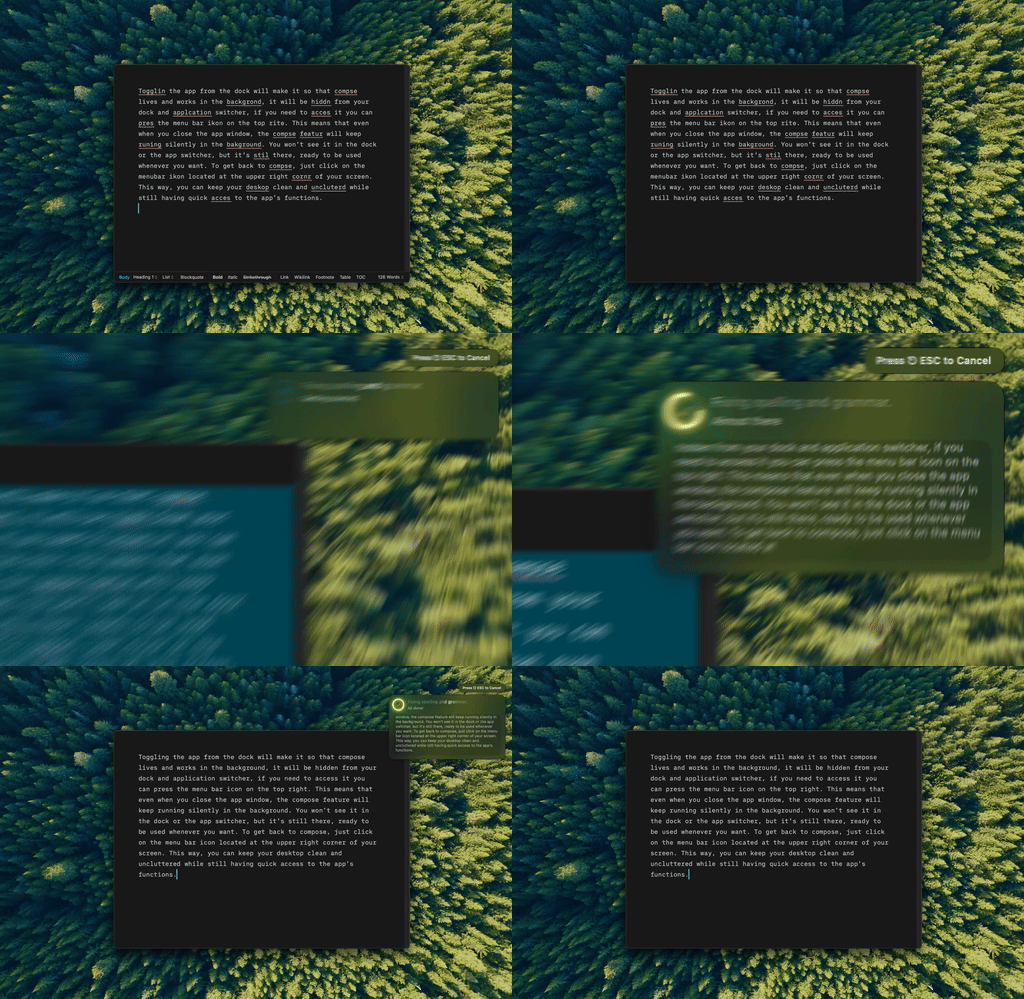
Type Mac fixes the sentence where I wrote it. No separate tab, no re-typing what I already got mostly right.
Where English trips up non-native speakers
- Articles (a/an/the): rules so complex native speakers can't explain them, only that it "feels" wrong
- Prepositions: arbitrary, "interested in" but "excited about"
- Collocations: invisible traps, it's "make a decision," never "do a decision"
- Tone: professional in one culture can sound cold or rude in another
Grammar checkers catch the obvious errors. AI tools go further: they explain why something sounds wrong and how a native speaker would phrase it instead.
The explanation matters more than the fix
Write in whatever language gets the thought out fastest, translate to English if that's where you started, then ask AI to naturalize the result. The step most people skip: ask it to explain the changes you don't understand. A prompt like "fix any errors and briefly explain why" turns editing into learning. I started noticing my own patterns: mixing up articles after prepositions, writing "discuss about" when "discuss" already takes a direct object.
Slow down for the stakes, not for everything
For an important email or report: draft, ask AI to polish for the context, note who you're writing to and the tone you want, then read it aloud. For a quick message: run "fix any errors, keep it brief," and send. I stopped reviewing every Slack message the same way I don't proofread a text to a friend.
Claude explains why, GPT tends to sound more natural
Both hold up for ESL use. Claude tends to give clearer explanations of why something reads wrong; GPT is a little better at phrasing that sounds native on the first pass. Both handle cultural context: ask "I'm writing to an American colleague, is this phrasing appropriate?" and get a useful answer back. For a wider comparison beyond ESL writing, I tested them head to head here.
Grammarly, LanguageTool, and DeepL Write each cover a gap
| Tool | Strength | Limitation |
|---|---|---|
| Grammarly | Established, broad coverage | Subscription, browser-focused, superficial explanations |
| LanguageTool | 30+ languages, checks native-language writing too | Less nuanced than a full model |
| DeepL Write | Natural phrasing and register | Best as a supplement, not a full editor |
None of them explain a correction the way a model prompted to teach, not merely fix, will. I go deeper on Grammarly specifically in this LanguageTool breakdown.
Privacy matters more here than most people realize
You're often writing job applications and business emails in a language you're not fully confident in. A BYOK app with a direct API connection is safer than a service that stores and trains on your drafts. If what you need is translation, not polishing English you already wrote, the wider translation app roundup covers that instead.
AI isn't cheating, and it isn't a replacement for practice
It's a tool, like a dictionary or a native-speaking colleague reviewing your email. Use it for high-stakes writing: important emails, reports, anything public-facing. Let yourself struggle with the casual stuff. You won't improve if you never practice without it, and that's where the learning happens.
The one I recommend when an ESL writer asks
Type Mac is what stayed on my Mac after testing the rest:
- It fixes the sentence in place, in Mail, Slack, Notion, wherever I'm typing, instead of a separate editor window
- I can ask for the explanation alongside the fix, right there in the same shortcut
- It handles tone shifts too: the same tool that fixes a comma splice also softens a blunt email
The honest limitation: it takes about a week of using the shortcut before reaching for it becomes automatic instead of falling back on old habits. Stick with it past that first week.
Improve your English wherever you're typing. Type Mac fixes grammar, explains the why, and adjusts tone, one shortcut, any app.