
Apple Intelligence on an Intel Mac: What Works in 2026
Apple Intelligence does not run on an Intel Mac. Apple lists a Mac with M1 or later, and MacBook Neo (A18 Pro), as the only Macs that support it. No setting, update, or workaround adds Apple Intelligence to an Intel Mac, so Writing Tools, Siri AI, and Image Playground are not available there.
You can still get proofreading, rewrites, and translation on an Intel Mac. The built-in spelling and grammar check is free, and third-party apps that support Intel cover the rest. This guide shows how to check your chip, which Intel Macs still get macOS updates, and what works in place of Apple Intelligence.
Does Apple Intelligence work on Intel Macs?
No. Apple's Apple Intelligence support page lists the supported Macs for macOS 27 as "MacBook Neo (A18 Pro)" and "Mac with M1 or later." It lists no Intel model. Apple's macOS Sequoia guide gave the same rule: Mac models with M1 or later.
| Your Mac | Apple Intelligence | Writing Tools |
|---|---|---|
| Mac with M1, M2, M3, M4, or M5 | Yes | Yes |
| MacBook Neo (A18 Pro) | Yes | Yes |
| Any Mac with an Intel processor | No | No |
How to check if your Mac is Intel or Apple silicon
- Choose Apple menu > About This Mac.
- Read the first item in the window.
- If it says Chip followed by a name like Apple M1, your Mac has Apple silicon.
- If it says Processor followed by an Intel name, your Mac has an Intel processor.
Apple's list of Apple silicon Macs gives the same answer by model. MacBook Air and 13-inch MacBook Pro models from 2020 can be either type, so check About This Mac to be sure.
Can you enable Apple Intelligence on an Intel MacBook Pro?
No. This includes the two Intel MacBook Pro models that run macOS Tahoe 26: the MacBook Pro (16-inch, 2019) and the MacBook Pro (13-inch, 2020, Four Thunderbolt 3 ports). Apple gives no method to turn on Apple Intelligence on any Intel Mac. Guides that promise "how to get Apple Intelligence on an Intel Mac" do not change the hardware requirement.
Which Intel Macs still get macOS updates?
macOS Tahoe 26 is the last macOS version with Intel Macs on Apple's compatibility list. Four Intel models are on it:
- MacBook Pro (16-inch, 2019)
- MacBook Pro (13-inch, 2020, Four Thunderbolt 3 ports)
- iMac (Retina 5K, 27-inch, 2020)
- Mac Pro (2019)
Apple's compatibility list for macOS 27 Golden Gate has only Apple silicon Macs and MacBook Neo. An Intel Mac stays on macOS Tahoe 26 or earlier, and it gets no Apple Intelligence on any of those versions.
What works on an Intel Mac instead
You have three ways to fix and improve text on an Intel Mac.
| Option | Runs on Intel | What it does | Price |
|---|---|---|---|
| macOS Spelling and Grammar | Yes, built in | Marks spelling and grammar errors | Free |
| Grammarly for Mac | Yes, macOS 10.15 or newer | Grammar, tone, and AI suggestions in the apps you use | Free plan; Pro is $144 a year or $30 a month |
| Type Mac | Yes, macOS Sonoma 14.1 or later | Fix, rewrite, change tone, and translate selected text with a shortcut | $4.99 a month, or $49.99 a year with a 7-day free trial |
Use the built-in check first
Every Mac has a spelling and grammar check. In most apps, choose Edit > Spelling and Grammar > Check Document Now, or press Command-Semicolon. Press Command-Colon to open the Spelling and Grammar window. It finds errors, but it does not rewrite a sentence or change its tone. Free Grammarly alternatives covers the other free options.
Add an AI writing tool that supports Intel
Grammarly says its Mac app needs macOS 10.15 or newer, and it works in Word, Pages, email apps, and browsers. The Grammarly prices in the table come from its plans page on November 21, 2026.
How to get Apple Intelligence writing features on an Intel Mac
You cannot get Apple Intelligence, but you can get the writing jobs that Writing Tools does: proofread, rewrite, change the tone, and translate.
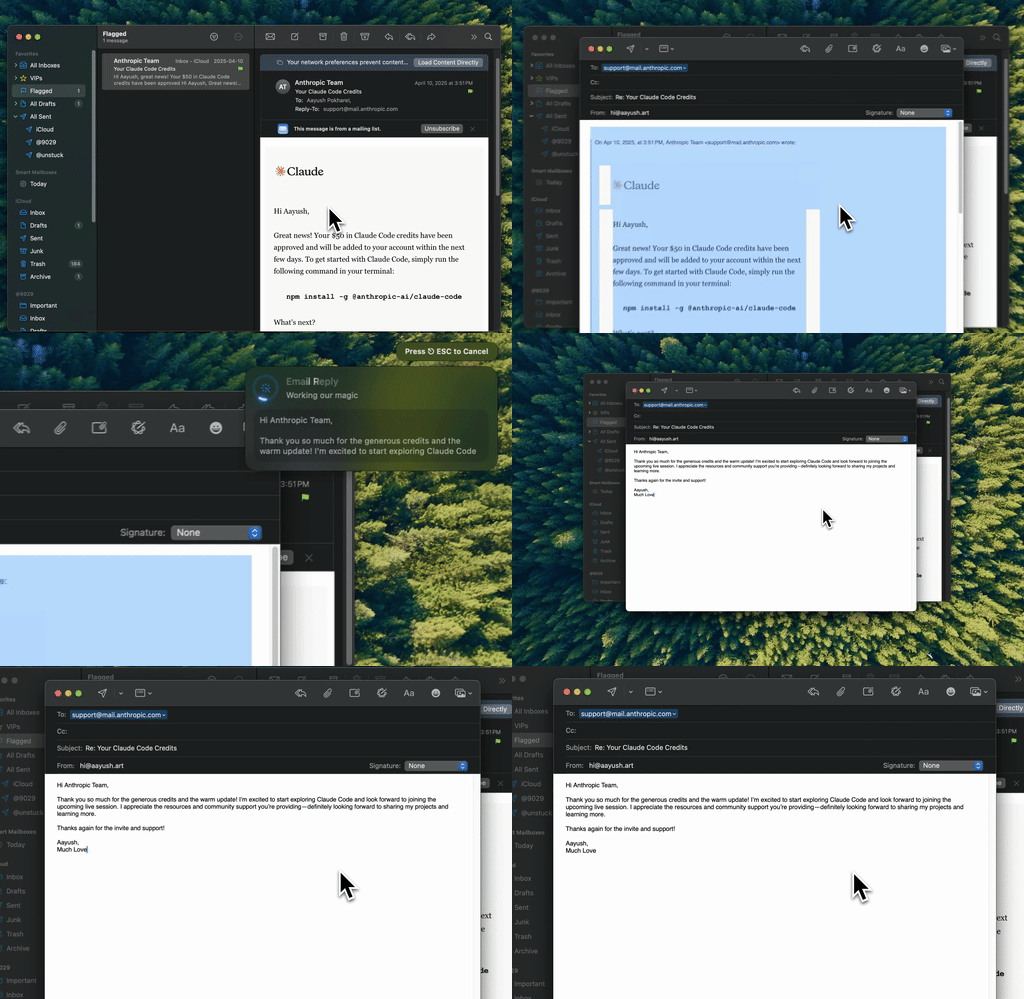
Type Mac rewrites the selected text in place with one keyboard shortcut, on Intel and Apple silicon Macs.
Type Mac is a native menu bar app. The app is a universal build, so it runs natively on Intel Macs and on Apple silicon Macs with macOS Sonoma 14.1 or later. Apple's Sonoma list includes Intel models of MacBook Pro and MacBook Air from 2018, iMac from 2019, iMac Pro (2017), Mac mini (2018), and Mac Pro (2019). Check your exact model on Apple's list.
How it compares with Writing Tools on the same jobs:
- Proofread. Select text, press your grammar shortcut, and the fixed text replaces the selection.
- Rewrite and tone. Make one shortcut per tone, with your own instruction, not only Friendly, Professional, and Concise.
- Translate. Make a translate shortcut, and Type Mac writes the result in the language you name.
- Every app. Mail, Slack, Notes, browsers, and code editors all work the same way.
- Your model. Use the built-in model, or add your own key for OpenAI, Anthropic, Gemini, Groq, or OpenRouter.
There is one difference to know. Apple Intelligence runs many requests on the Mac itself. Type Mac sends the selected text to a cloud model, so it needs an internet connection. With your own API key, the text goes from your Mac to the provider you pick.
When you move to an Apple silicon Mac later, your Type Mac license works on up to 3 Macs. For the full comparison with Apple's tools, read Apple Intelligence Writing Tools vs. Type Mac, or see the Apple Writing Tools alternative.
FAQ
Is Apple Intelligence available on Intel Macs?
No. Apple supports Apple Intelligence on Macs with M1 or later and on MacBook Neo. Apple lists no Intel model.
Can an Intel Mac run macOS 27?
No. Apple's macOS 27 compatibility list has only Apple silicon Macs and MacBook Neo. The last version for Intel Macs is macOS Tahoe 26, on four models.
Is an M1 Mac enough for Apple Intelligence?
Yes. Any Mac with M1 or later supports Apple Intelligence. If it still does not appear on an M1 Mac, check the language, region, and storage.
Do Writing Tools work on an Intel Mac?
No. Writing Tools is part of Apple Intelligence. When Writing Tools is missing on an Apple silicon Mac, the cause is a setting, and you can fix it.
Sources
- Get started with the next generation of Apple Intelligence, Apple Support
- Mac computers with Apple silicon, Apple Support
- macOS Tahoe 26 is compatible with these computers, Apple Support
- macOS Sonoma is compatible with these computers, Apple Support
- macOS 27 Golden Gate, Apple
- Grammarly for Mac and Grammarly plans, Grammarly
Still on an Intel Mac? Try Type Mac and get proofreading, rewrites, and translation in every app.