
Best AI Writing Tools for Mac in 2026
I've tried every AI writing tool that runs on a Mac. Most fall into three buckets: browser extensions that only work in Chrome, standalone chat apps that need copy-pasting, and native apps that hook into the system. Only the third bucket earned a permanent spot on my Mac.
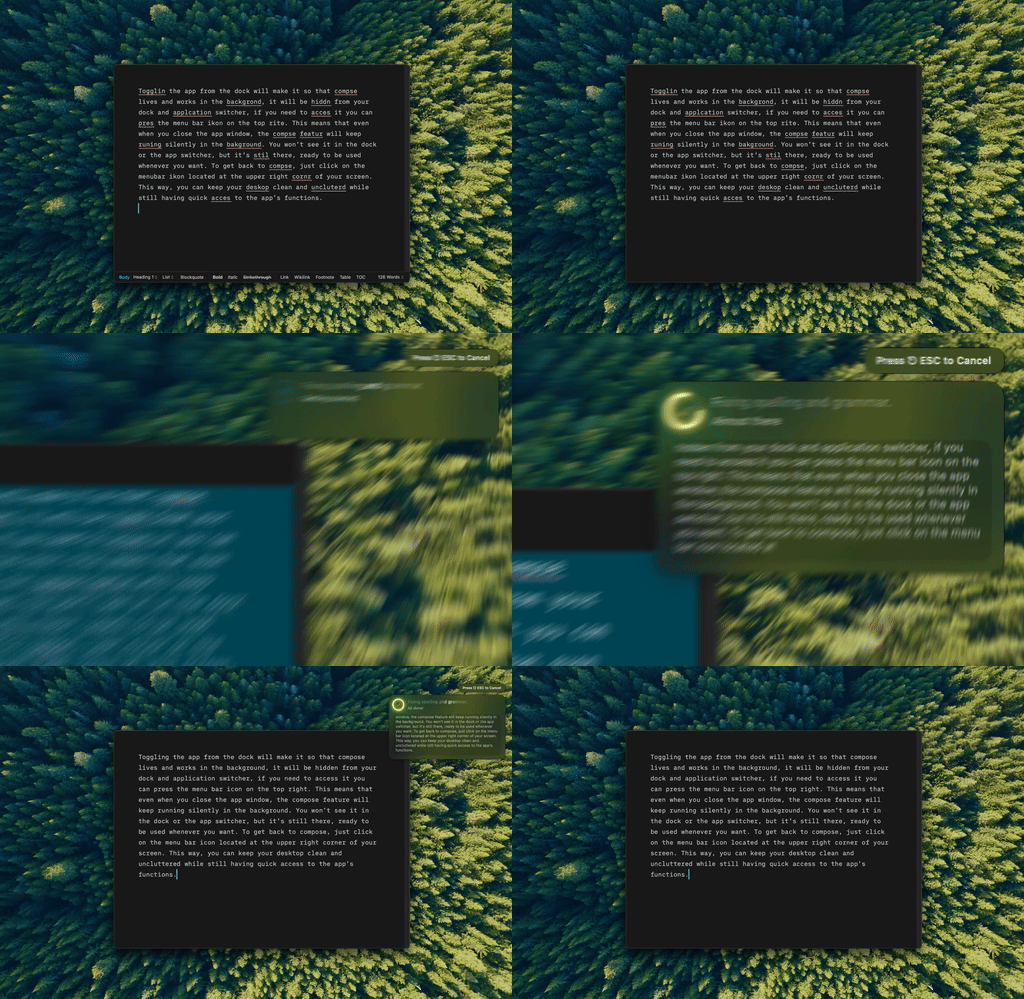
That's Type Mac, fixing a sentence in place without me ever leaving the app I was writing in.
Where each category breaks
| Tool | Type | Where it falls short |
|---|---|---|
| Type Mac | Native, BYOK | Paid, Mac only |
| Grammarly | Browser extension | Blind outside Chrome; Mail, Notes, and Slack desktop go unchecked |
| ChatGPT / Claude desktop | Standalone chat | Copy-paste breaks momentum on quick edits |
| Apple's Writing Tools | Built-in | Free but fixed: three tones, no custom prompts |
Browser extensions only work in the browser
Grammarly and LanguageTool can't touch text in Mail, Notes, or Slack desktop, so you're stuck copy-pasting or sending it unedited. More on that gap in Grammarly alternatives for Mac.
Standalone chat apps break your momentum
ChatGPT and Claude's desktop clients handle brainstorming and long drafts well. For a quick typo fix, copy-pasting into a separate window kills the momentum. You need AI that lives where you write.
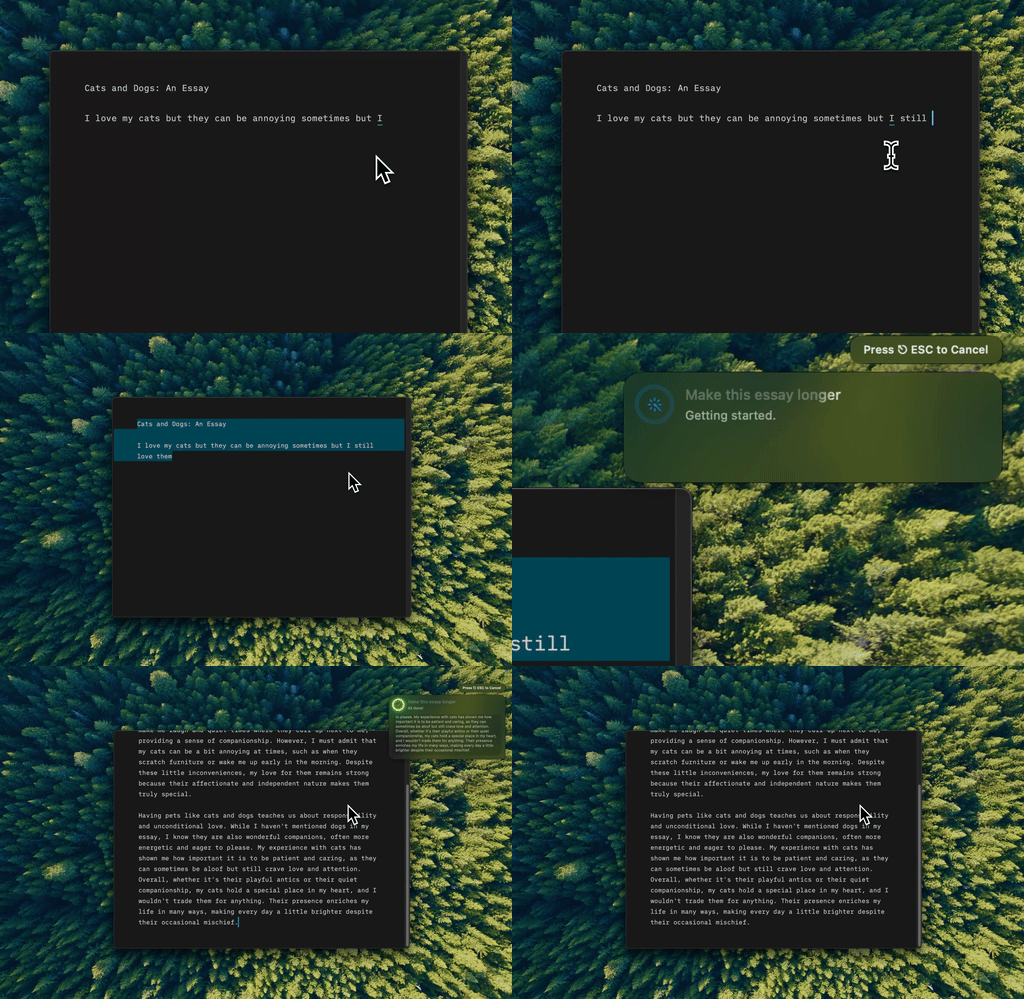
Native BYOK apps solve both problems
They run system-wide: select text anywhere, press a shortcut, get the result back in place. Bring your own API key (OpenAI, Anthropic, Google) for Claude Opus 5 or GPT-5.6-level suggestions at cents per use, cheaper than a Grammarly subscription and noticeably better. Being native instead of Electron is most of why it stays out of the way; more in native Mac apps versus Electron.
The free option has a ceiling
Apple's Writing Tools are free, system-wide, and fine for basic proofreading on Apple Silicon. The quality ceiling is low, and you can't customize the behavior: three tones, no custom prompts, no memory of how you write. I put it head to head against a dedicated app in a full comparison of Apple Intelligence and Type Mac.
What matters: the shortcut, not the tool
I write naturally, then select the text and press a shortcut for grammar when I'm done: two seconds to review, then move on. For longer pieces I switch to a separate AI chat for brainstorming. If the AI isn't one shortcut away, you won't use it consistently, and consistency is the whole game.
BYOK is a privacy advantage too
Your text goes straight to the AI provider, not through a company's servers for storage or training. That matters for work emails, client communication, or legal and medical text.
If I could only install one
Grammarly is polished. Claude desktop is strong for long drafts. Neither replaced the native app on my menu bar, and here's why:
- It's the only one that works in every app I write in, not the handful with a browser plugin or a chat window.
- BYOK means I pick Claude, GPT, or Gemini per shortcut instead of being locked to whatever the app shipped with.
- The shortcut is the whole interface. No popover, no chat window, no copy-paste round trip.
The honest limitation: it's a paid app on top of your API costs, where Apple's tools and the free tier of most chat apps cost nothing. That math has to work out for your workflow, not mine.
If you write on a Mac for a living, Type Mac is worth the setup. Grammar, rewriting, translation, all in one shortcut, with BYOK support for Claude, GPT, and Gemini.