
Best Slack Productivity Tools for 2026
I typed a message in Slack, hit enter, and watched a typo sail past me to the whole engineering channel. I tried Grammarly's Slack setup, Slack's own spellcheck, and a system-wide shortcut. Only one was still installed by the end of the week.
Slack desktop isn't a browser tab, so your extension can't see it
Slack desktop and Discord desktop are Electron apps, not browser tabs, so Grammarly's free browser extension, the one almost everyone actually has, has nothing to attach to there. Grammarly's separate desktop app does show real-time underlines in Slack, but that's a different install most people never make. Without it, you're pasting your message into a browser tab to check it and pasting it back, or sending it raw and hoping. Skipping the browser layer entirely changes how a tool has to be built, which is why the fix here isn't a Slack plugin at all.
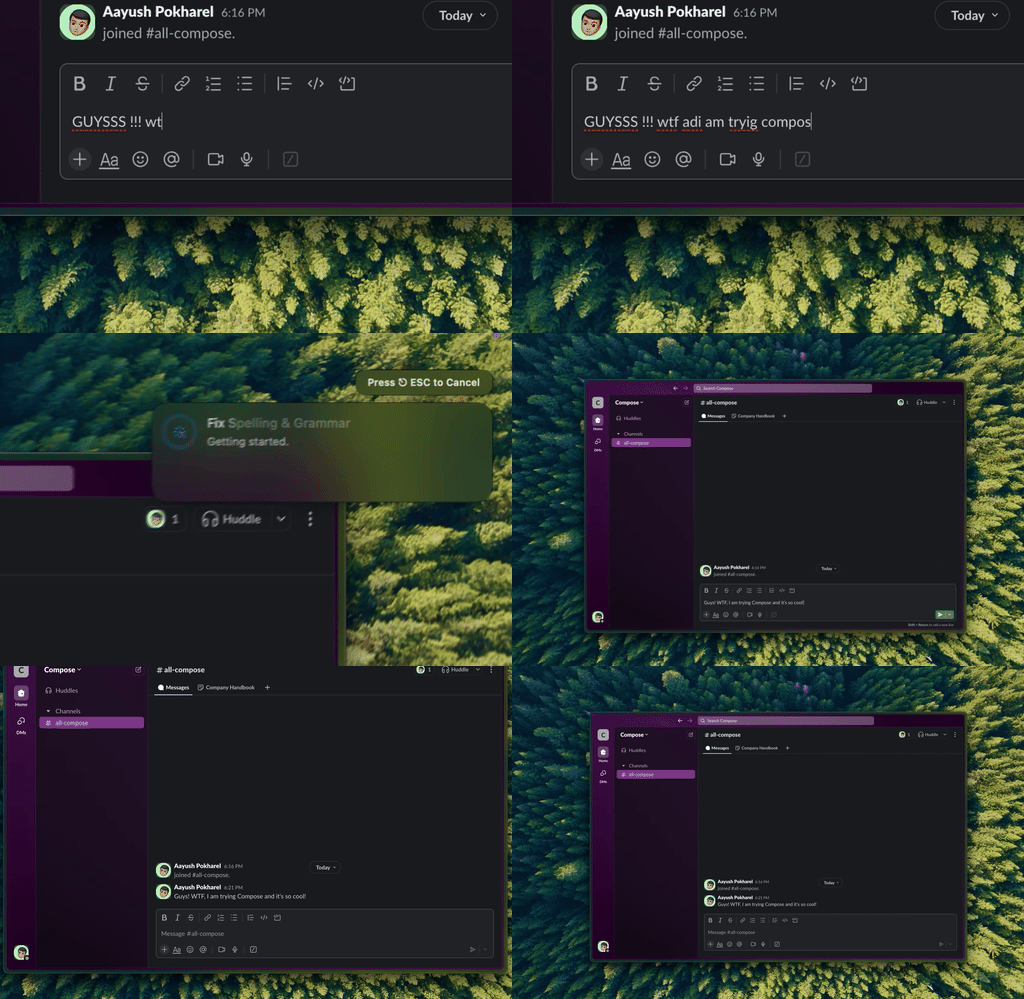
Type Mac — a message getting fixed with one shortcut before it leaves the compose box, no browser tab involved.
A system-wide shortcut works because it isn't tied to Slack at all
What worked: type the message, ⌘A to select, hit the same shortcut I use everywhere else, send. It catches typos and smooths phrasing, and because it isn't a Slack plugin or browser extension, it works the same in Discord, email, and Notes. Nothing to configure per app.
Notification management still matters more than any grammar tool
Typos aren't Slack's real problem, notification overload is. I schedule Do Not Disturb hours, mute channels outside current work, and set keyword notifications for what matters. Free, built in, and it moved the needle more than any grammar tool.
Slack shortcuts worth learning
| Shortcut | Action |
|---|---|
⌘K | Quick switcher |
↑ | Edit your last message |
⌘⇧M | All mentions |
⌘⇧A | All unread |
Four or five of these and I moved through Slack twice as fast.
Automation and coordination worth the setup
| Tool | Best for |
|---|---|
| Slack Workflow Builder | Custom forms, scheduled messages, approval flows |
| Zapier | Simple automations: commits and form submissions into a channel |
| Make (formerly Integromat) | Complex conditional logic or high volume |
| Clockwise | Syncing your calendar to Slack status automatically |
Anything that takes three paragraphs, I record as a Loom and drop the link in the channel.
What every Slack message goes through
Grammarly's desktop app is still on my machine for a couple of Discord servers I haven't switched. The shortcut is what I reach for on Slack every time, because it never asks which app I'm in. Three reasons:
- Works identically in Slack and Discord, no relearning per app.
- On-demand, not always-on. I trigger it, it doesn't watch every keystroke.
- BYOK means the model checking my Slack messages is the same one I use everywhere else.
The honest limitation: it took about a week before select-shortcut-send became automatic. The first few days I still hit enter on a raw typo out of habit.
Type Mac is what's still open in my menu bar. For messages that need more scrutiny, proofreading habits for Slack and Discord specifically are worth a look.
One shortcut, before you hit enter. Type Mac works in Slack the same way it works everywhere else on your Mac.