
Best Translation App for MacBook (2026)
I moved to a country where I don't speak the language and started translating something every day: a landlord's text, a work email, a caption before I post it. I've run every option on my MacBook long enough to know which ones I actually reach for.
Yes, your MacBook already has a Translate app
The "MacBook Translate app" people are searching for is real: macOS ships one, called Translate, and it also hooks into right-click. Select text in an Apple app, right-click, choose Translate, and it swaps in the result without opening anything. A handful of languages download for offline use, so it works on a plane with no signal.
It's genuinely fine for a menu, a street sign photo, or a one-line reply where the gist is enough. Where it stops: the tone is fixed and formal no matter what you're translating, there's no way to tell it "keep this casual," and it has no memory of the conversation, so it can't tell a joke from a complaint. Right-click support is also inconsistent the moment you leave Apple's own apps. It works reliably in Safari and Mail; drop into Slack or a random Electron app and the menu item is often missing entirely.
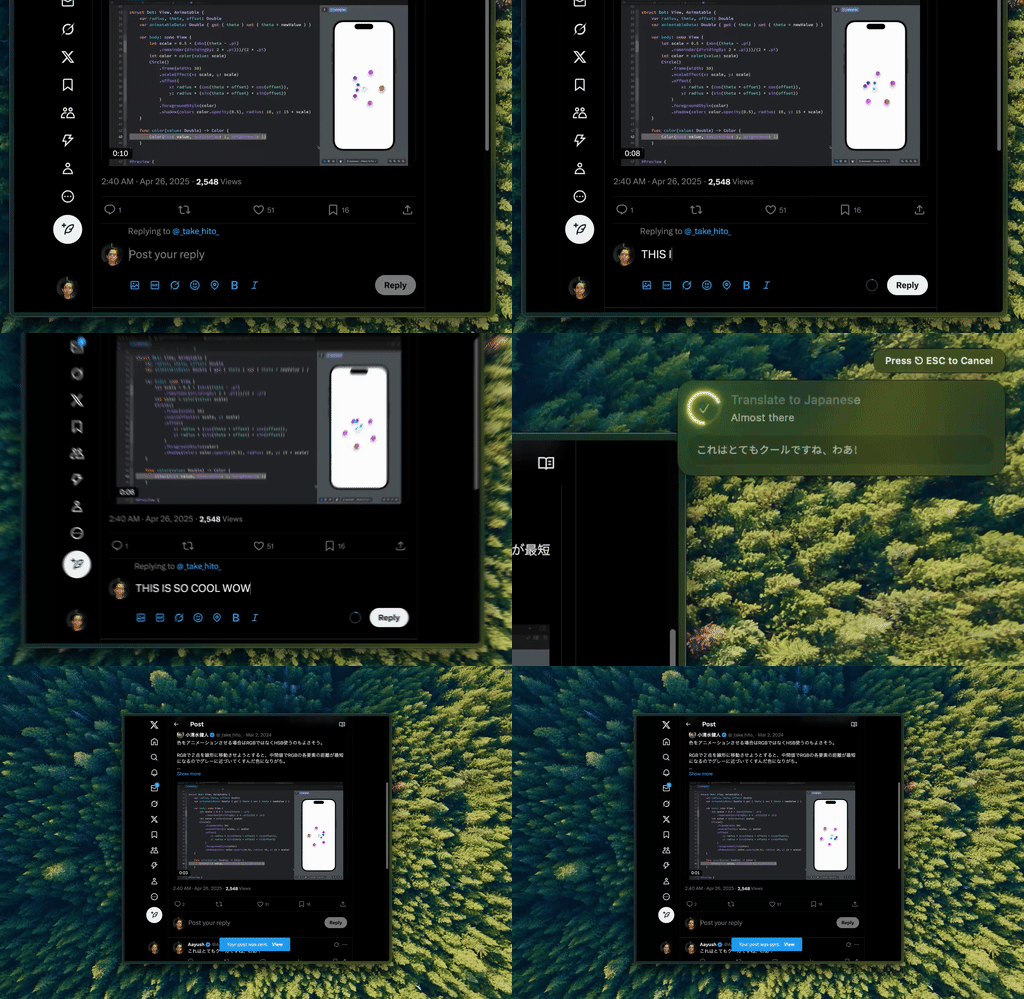
Type Mac — I select the tweet, hit the shortcut, and it comes back in Japanese with the register I asked for, not the stiff default.
Google Translate: free, everywhere, reads like a machine
Google Translate is the fallback everyone already has open in a tab. Paste text in, get a translation out, no account and no cost. The tradeoff is the copy-paste loop itself: switch to the browser, paste, wait, copy the result, switch back. Do that for one email and it's fine. Do it fifteen times before lunch and it's the whole afternoon. The output is also blunt. It gets the meaning across, but it reads like a translation, not like something a person wrote in that language.
DeepL: better prose, if your languages are European
DeepL's translations read more natural than Google's, especially for French, German, Spanish, and Italian, where the phrasing comes out closer to how a person would actually say it rather than a word-for-word swap. It has a Mac app with a menu bar shortcut, which beats living in a browser tab. The free tier caps out fast if you're translating more than the occasional message, and the subscription is where DeepL makes sense for anyone doing real volume. Its language list is also narrower than Google's, so for anything outside its strong languages you're back to a different tool.
AI models translate and set the register in one pass
The gap between "grammatically correct" and "sounds like a native speaker wrote it" is register: formal versus casual, blunt versus warm, the version you'd actually send versus the version that's technically accurate but reads like it came out of a machine. A dictionary tool can't ask you which one you want. Telling an AI model "translate this, keep it casual" or "translate this, make it formal for a client" does both in the same step, so the output doesn't need a second pass to fix the tone.
That's the difference between a translation and a message that lands the way you meant it: the literal version and the one a friend who's fluent would have actually sent.
The translation app I kept
Type Mac is what stayed installed. A few reasons:
- I translate inside whatever I'm already in, Slack, Mail, a caption field, without switching to a browser tab first.
- Telling it to keep something casual or make it formal happens in the same step as the translation, not as a cleanup pass after.
- It uses the model I picked, GPT, Claude, or Gemini, so the translation quality is whatever that model is currently best at, not locked to one company's engine.
The honest limitation: it translates and rewrites text you've already written or received. It won't draft the original message for you from nothing, so you still need something on the page first.
For a document that has to keep its formatting, document translation is a different job with different tools. And if you want the fuller rundown of native Mac translation options beyond what's here, I covered that separately in native translation apps for Mac and what changed in Mac translation this year.
Translate anything on your MacBook without leaving the app you're in: Type Mac, free for 7 days.