
Best Utility Apps for MacBook (2026)
I keep a folder called "maybe" in Applications for anything I install and stop using within a week. It's enormous. This list isn't from that folder. It's the nine apps that made it past the first month and are still running right now.
What actually counts as a utility
A utility does one thing. It stays out of the way until you need it, then gets out of the way again. And you'd notice within a day if it were gone, not "eventually miss a feature," but actually notice, mid-task, that something's broken.
Most "best Mac apps" roundups fail that test. They pad a list to twenty with launchers, dashboards, and menu bar widgets that sit there looking useful and never get touched. I'm using that filter on every entry below. If I couldn't tell you the last time I opened it, it's not on here.
Window management: Rectangle
Rectangle snaps windows to halves, thirds, and quarters with a keyboard shortcut, free and open source. I default to snapping left half, right half, and full screen maybe thirty times a day without thinking about it. The macOS native tiling that shipped in Sequoia covers some of this now, but Rectangle's shortcuts are faster and I already had the muscle memory.
Clipboard history: Maccy
Maccy is free, open source, and does exactly one job: it remembers what you copied before the current thing. Copy a URL, copy a phone number, then realize you need the URL again, and Maccy has it. No sync, no cloud, no organized collections to manage. That's the point.
Fixing text without leaving the app you're in
Grammarly needs a browser tab. Close Chrome, or write inside Xcode, Slack, or a native Notes window, and it's blind. I stopped tolerating that gap.
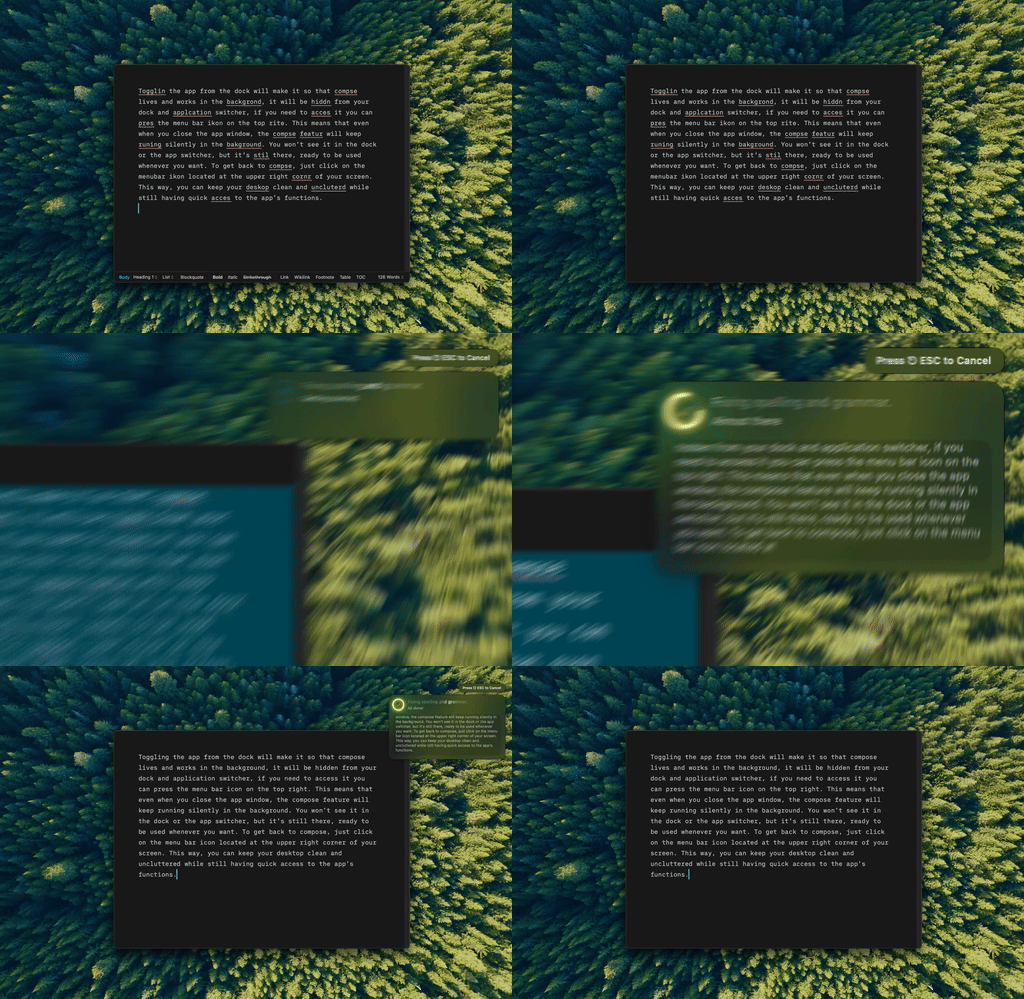
Type Mac. I select a typo-riddled paragraph, hit the shortcut, and it's fixed in place. No popup, no copy-paste round trip.
Menu bar management: Ice or Bartender
Once you've got Rectangle, Maccy, and a few more of these running, your menu bar fills up.
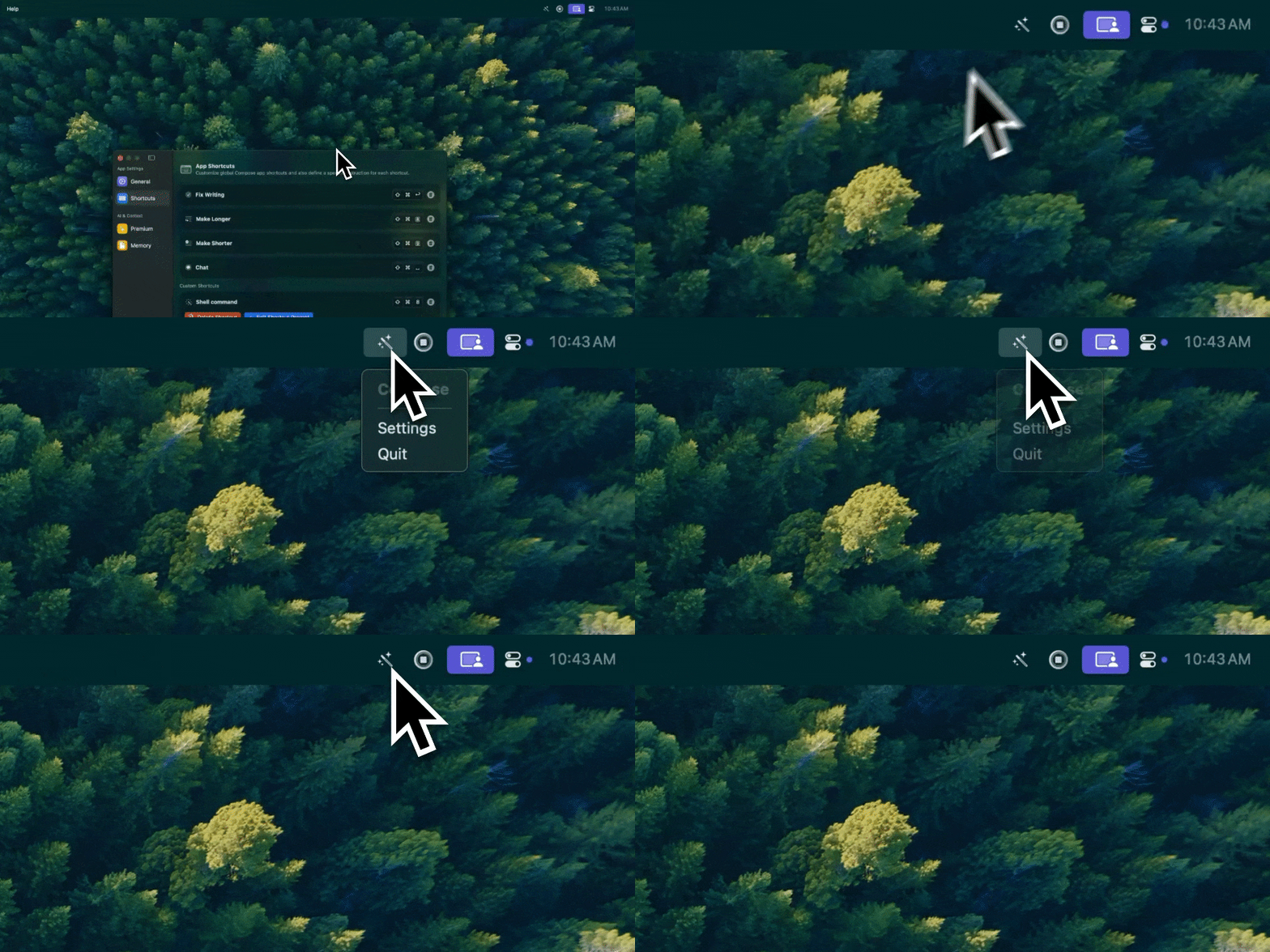
This is one more icon competing for space up there, which is exactly why the next app on this list exists.
Ice is free and open source and hides the icons you don't check daily behind a click. Bartender does the same job with more configuration if you want deeper control over ordering and auto-hide rules. I run Ice because free-and-open-source wins ties for me, but either solves the actual problem.
Battery care: AlDente
AlDente caps charging at whatever percentage you set, so a MacBook that lives on a desk dock all day isn't sitting at 100% and slowly cooking its battery. I set mine to 80% and forgot about it. You only notice this one is working when you check battery health a year later and it's still fine.
App switching: AltTab
macOS's built-in Cmd-Tab switches between apps, not windows, and shows tiny icons instead of previews. AltTab replaces it with full window previews, including every Chrome tab group and every Finder window, still bound to Cmd-Tab. Free.
Archives: The Unarchiver
Free, and it opens every archive format macOS's built-in unzip chokes on: RAR, 7z, old StuffIt files someone's ancient project still ships as. I don't think about this one until I need it, which is exactly the job.
Uninstalling cleanly: AppCleaner
Dragging an app to the Trash leaves preferences, caches, and support files scattered across your Library folder. AppCleaner finds and removes them too, free. Not something you run daily, but every time you do, you're glad it's there instead of hunting through ~/Library by hand.
Hardware monitoring: iStat Menus or Activity Monitor
iStat Menus is a subscription that puts CPU, memory, disk, network, and temperature graphs in the menu bar, updating live. If a live glance isn't worth paying for, Activity Monitor ships free with macOS and covers the same questions, just one click deeper instead of always visible. I pay for iStat Menus because I check it enough times a day that the extra click adds up, but it's the one entry here I'd tell most people to skip.
For more on the menu bar apps worth having open at once, I wrote a longer breakdown of the menu bar apps that earned a permanent spot.
If you only want three
Skip iStat Menus if you're not a person who checks system stats. Activity Monitor is free and sitting there already. Skip AlDente if your MacBook is a laptop that actually leaves the desk and cycles its battery naturally. The Unarchiver and AppCleaner you'll use rarely enough that "install when you need it" is a fine strategy too.
The three that earn a permanent spot on a fresh install: Rectangle for windows, Maccy for clipboard, and whatever fixes your text without making you leave the app. That third one gets touched more times a day than the other two combined. It's the one I'd install first.
The one utility I pay for
Rectangle and Maccy are permanent, free, and not going anywhere. But the one I use the most per day, by a wide margin, is Type Mac. A few reasons:
- It works in every text field on the machine, not a specific list of supported apps — Mail, Slack, Xcode comments, Notion, whatever's focused.
- One shortcut fixes grammar, another rewrites tone, another expands a note into a full paragraph. No menu to click through first.
- It's a native app, not Electron, so it doesn't show up in Activity Monitor next to the things I'm actually trying to diagnose.
The honest limitation: it's paid, unlike almost everything else on this list. Everything else here is free or one-time. This one isn't, and I still keep paying for it because it's the app I reach for most.
If you're setting up a new MacBook from scratch, I go through the rest of the essential first-week stack in what to install on a new M4, and the broader productivity list in Mac productivity tools worth keeping.
Nine apps, one that costs money. Type Mac is the paid one, and it's the first thing I reinstall on a clean machine.