
Best Grammarly Alternatives for Mac in 2026
I ran Grammarly, macOS's built-in checker, LanguageTool, and ProWritingAid side by side for a month, then added a couple of AI writing apps. Grammarly held up fine, until I left Chrome.
Grammarly's bill: $12–30 a month for an app that stops at the browser
Grammarly's desktop app is Electron: a wrapped browser, not a real Mac app. It sat at 300–400MB of RAM the whole time it was open and pulled on battery during long sessions. Coverage was solid in Chrome and thin everywhere else: half my Slack drafts and every Notes entry went unchecked. That's the deal at $12–30 a month.
If the Electron tax bothers you as much as it bothers me, the case against wrapped-browser apps on Mac is worth reading before you buy anything else.
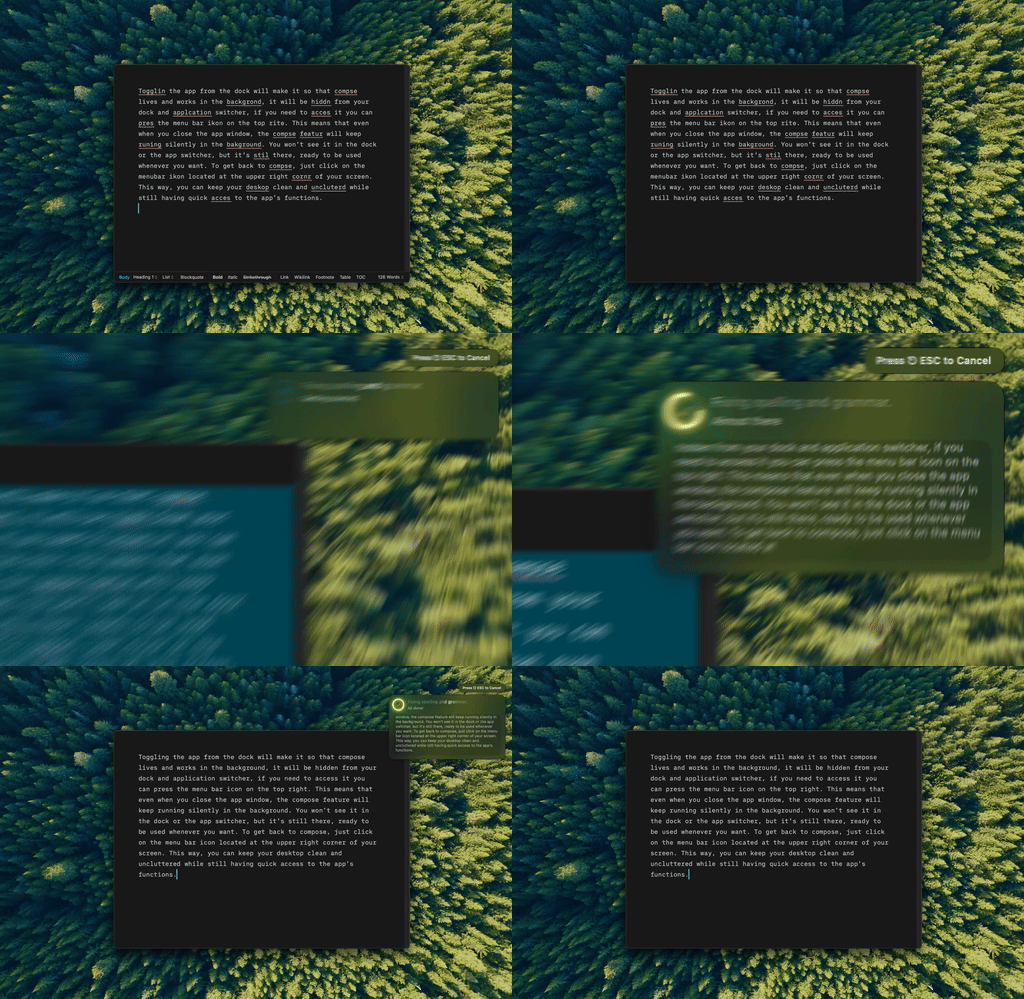
Type Mac — a typo in a Notes draft, fixed without switching apps or opening a browser tab.
Five alternatives, one table
| Tool | Price | Works everywhere on Mac | Where your text goes |
|---|---|---|---|
| Type Mac (BYOK) | Cents per use | Every app, system-wide | Straight to your AI provider |
| macOS built-in | Free | Every native app | Never leaves your Mac |
| LanguageTool | Free tier, self-hosted option | Browser-focused | Their servers (or yours, self-hosted) |
| ProWritingAid | $399 one-time | One app at a time | Their servers |
| Grammarly | $12–30/mo | Chrome-first, spotty elsewhere | Their servers |
macOS's built-in checker costs nothing and it's already on your Mac
System-wide, offline, private in every native app. It won't touch tone or style, but it catches real errors for free. For the fuller rundown, I broke down what's free and what it actually covers.
LanguageTool is the strongest free dedicated checker
Open source, 30+ languages, with a self-hosted option so your text never has to leave your machine. Still browser-focused, so it doesn't reach every app the way a native tool does. I put it head-to-head against Grammarly separately if privacy is your main concern.
ProWritingAid suits writers who live in one document
Deep style analysis, readability reports, native Scrivener and Word integration. The $399 lifetime purchase beats a subscription, but it's a document editor, not something that follows you into Mail or Slack.
The category that actually replaced Grammarly for me
Native Mac apps that connect to Claude Opus 5, GPT-5.6, or Gemini 3.6 Flash rewrite unclear sentences, adjust tone, expand or condense text, and translate. Select text anywhere, press a shortcut, done.
The model underneath changes every few weeks now
Grammarly ships one engine and you write with whatever it gives you. An app that connects to the frontier models gives you the current best within days of release. Claude Opus 5 landed July 24, 2026. GPT-5.6 arrived July 9 in three sizes: Sol for the hardest rewrites, Terra for everyday editing, Luna for fast bulk work. Gemini 3.6 Flash, Grok 4.5, and Kimi K3 all shipped the same month.
Pick a heavyweight model for a cover letter, a cheap fast one for cleaning up a Slack message. The full catalog updates as new models ship.
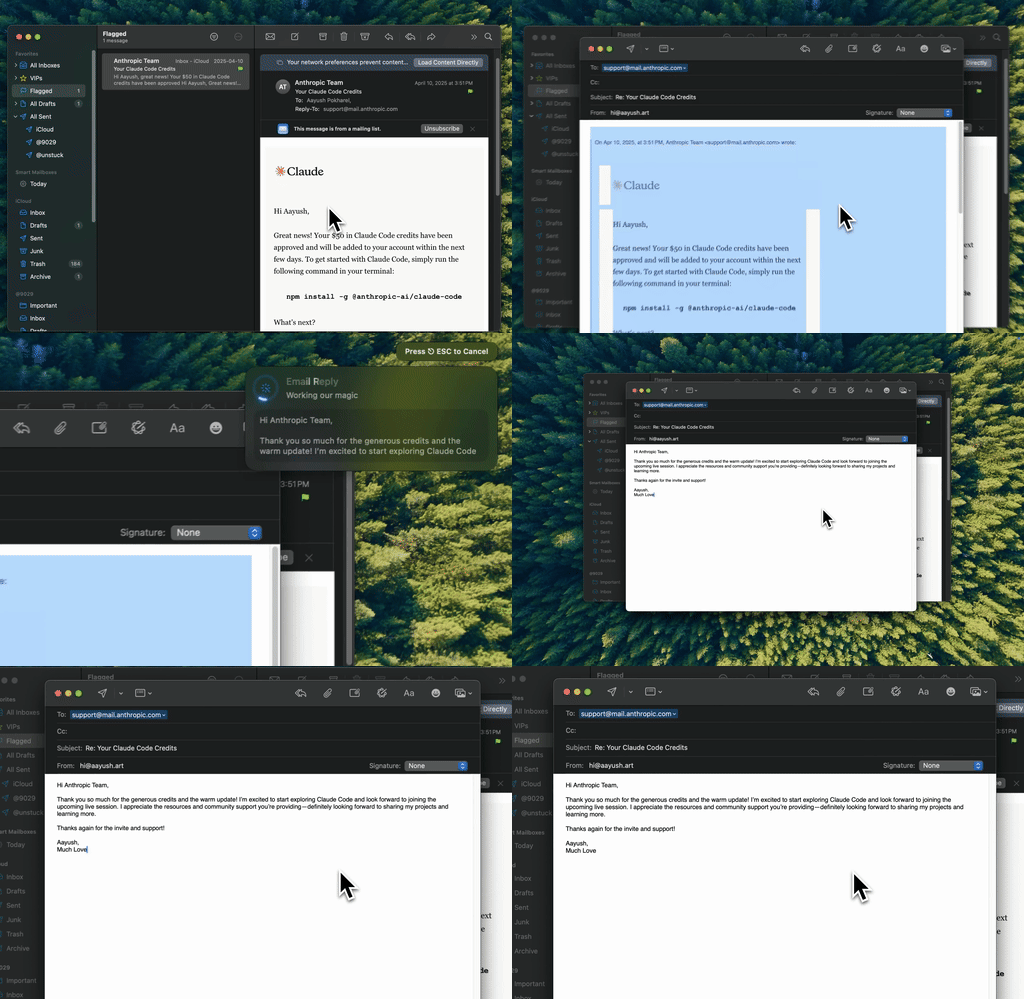
Type Mac — same shortcut as the typo fix, this time rewriting a full email.
BYOK: cents per use instead of a subscription line item
Bring your own key means connecting an API key from OpenAI, Anthropic, Google, or Groq instead of paying an app developer for AI access. You see the real cost per use, fractions of a cent, and your text goes straight to the provider you picked.
Four questions before you switch
- Native or Electron: a real Mac app uses less battery and feels right.
- System-wide or browser-only: an extension only helps inside the browser.
- Where your text goes: know the answer before you paste anything sensitive.
- Subscription, one-time, or pay-per-use: the pricing model matters as much as the tool itself.
The alternative I stopped looking past
Type Mac is the one still open on my Mac. It reaches Mail, Slack, Notion, and Xcode the same way it reaches Chrome, so I stopped thinking about which app I was allowed to fix text in. BYOK means picking Opus 5 for something that matters and a cheap model for a one-line Slack reply, instead of whatever engine Grammarly shipped that quarter. And there's no Electron tax sitting in Activity Monitor.
The honest limitation: it's Mac only. No iPhone version, no Windows build. If your writing is split across platforms, you'll still need something else on the other machine.
Type Mac is what replaced Grammarly on mine.
Done paying for a wrapped browser? Try Type Mac and see what system-wide actually feels like.