
Hemingway Editor Alternatives with AI Features
I've had Hemingway Editor open in a tab for years, for the color-coded highlights: complex sentences, passive voice, adverbs. It's still a sharp diagnostic tool. What sent me looking at alternatives was everything that happens after the highlight.
Hemingway highlights problems instead of fixing them
A red underline means I'm on my own to rewrite the sentence. It only works inside its own editor, so writing in Google Docs or Mail meant copying text in, rewriting by hand, then copying it back out. I hit the identical wall researching Wordtune alternatives.
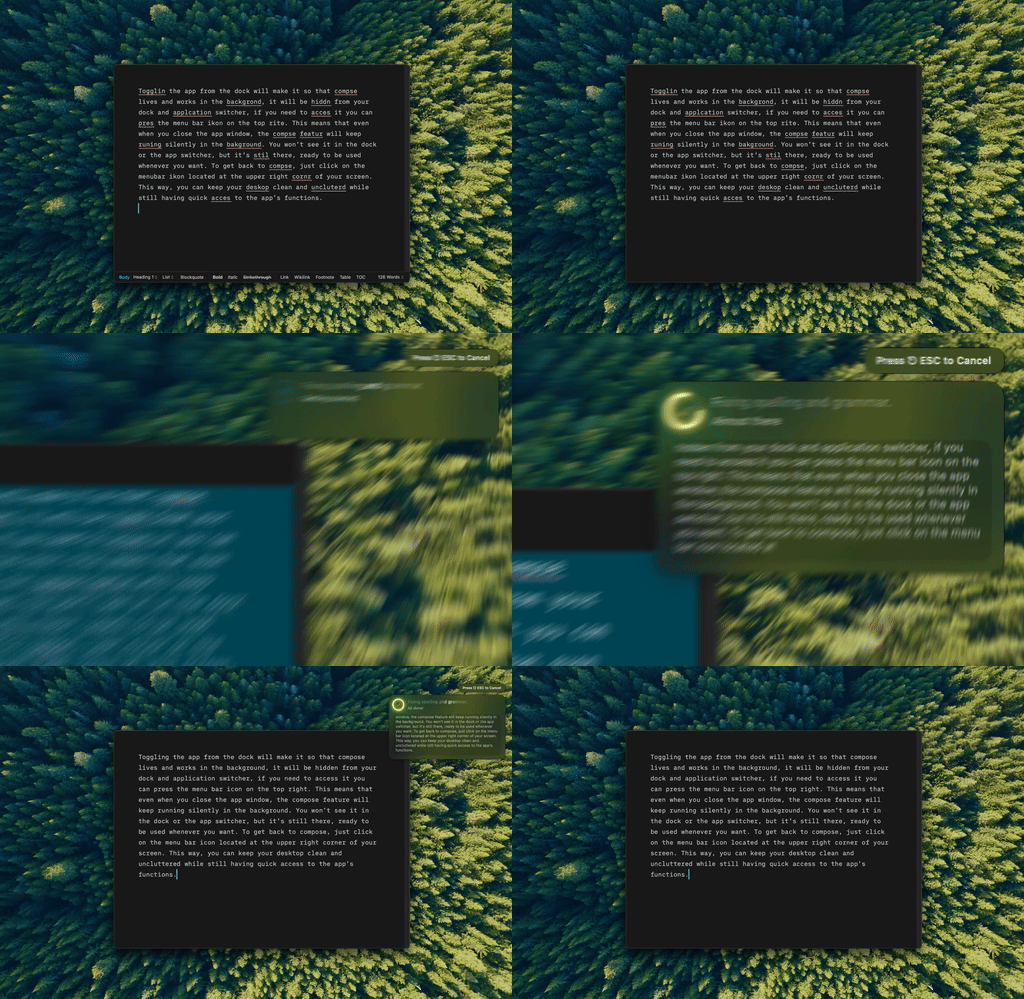
That's a flagged sentence getting fixed in place with Type Mac, no separate editor, no copy-paste round trip.
Three tools that fix what they flag
| Tool | Price | Approach |
|---|---|---|
| Type Mac | $4.17/mo annually | Fixes clarity issues in place, in any Mac app, with a keyboard shortcut |
| Grammarly | $12–30/mo | Grammar correction, sentence rewrites, and clarity suggestions, broader than readability alone |
| ProWritingAid | $120/yr or $399 lifetime | Deep readability reports: sentence variety, passive voice percentage, sticky sentences |
| Wordtune | Subscription | Skips diagnosis, rewrites a sentence into five alternatives directly |
Grammarly trades readability focus for breadth
Grammar correction, sentence rewrites, and clarity suggestions go further than Hemingway's highlighting, but cost $12 to $30 a month. If you're already paying for it, the shortcuts are worth learning: Grammarly keyboard shortcuts you're not using.
ProWritingAid goes deeper on reports
The most detailed readability analysis of the three: sentence variety, passive voice percentage, sticky sentences. Best for fiction writers studying their own patterns. Its AI trails Grammarly's.
Wordtune skips the diagnosis
Highlight a sentence, get five clearer versions, pick one, no highlights to interpret first. I compared it against QuillBot and an AI model directly in QuillBot vs. Grammarly for paraphrasing: the instinct is right, the execution is weak.

Same idea as Wordtune's five alternatives, except with Type Mac I pick the tone and it rewrites where the cursor already is.
Fiction writers should stick with Hemingway
Complex sentences and passive voice are sometimes a deliberate choice; auto-simplifying tools can strip that voice out. Hemingway flags without correcting, so the writer decides which rules to break.
Everyone else needs fixes, not flags
Technical writers, marketers, business writers, students: the job has moved past highlighting. A system-wide shortcut fixes the copy-paste problem too: select text, hit the shortcut, get a clarity-improved version back. For conciseness specifically, see how to make writing more concise with AI.
What I use instead of pasting into Hemingway
Type Mac is what replaced my Hemingway tab. The reasons:
- It fixes the sentence instead of only underlining it, which was my actual complaint with Hemingway.
- It works in Mail and Google Docs too, so the copy-paste round trip is gone.
- BYOK means the clarity pass runs through Claude, GPT, or Gemini, whichever key I've got loaded.
The honest limitation: the shortcut habit took about a week to stick, and the first few days I still copied text into a separate tool out of habit. After that it was faster than Hemingway ever was.
Type Mac: clarity fixes without leaving the sentence you're editing.