
LanguageTool vs Grammarly: Open Source Grammar Checking
I ran Grammarly and LanguageTool side by side for a month to answer one question: how much do I care where my writing goes once I hit send.
Both send your text to a server by default
Every draft ships to someone else's infrastructure first. Grammarly's privacy policy says it collects snippets and can use your content for training. LanguageTool's core is open source (LGPL) and self-hostable, so your text never has to leave your network.
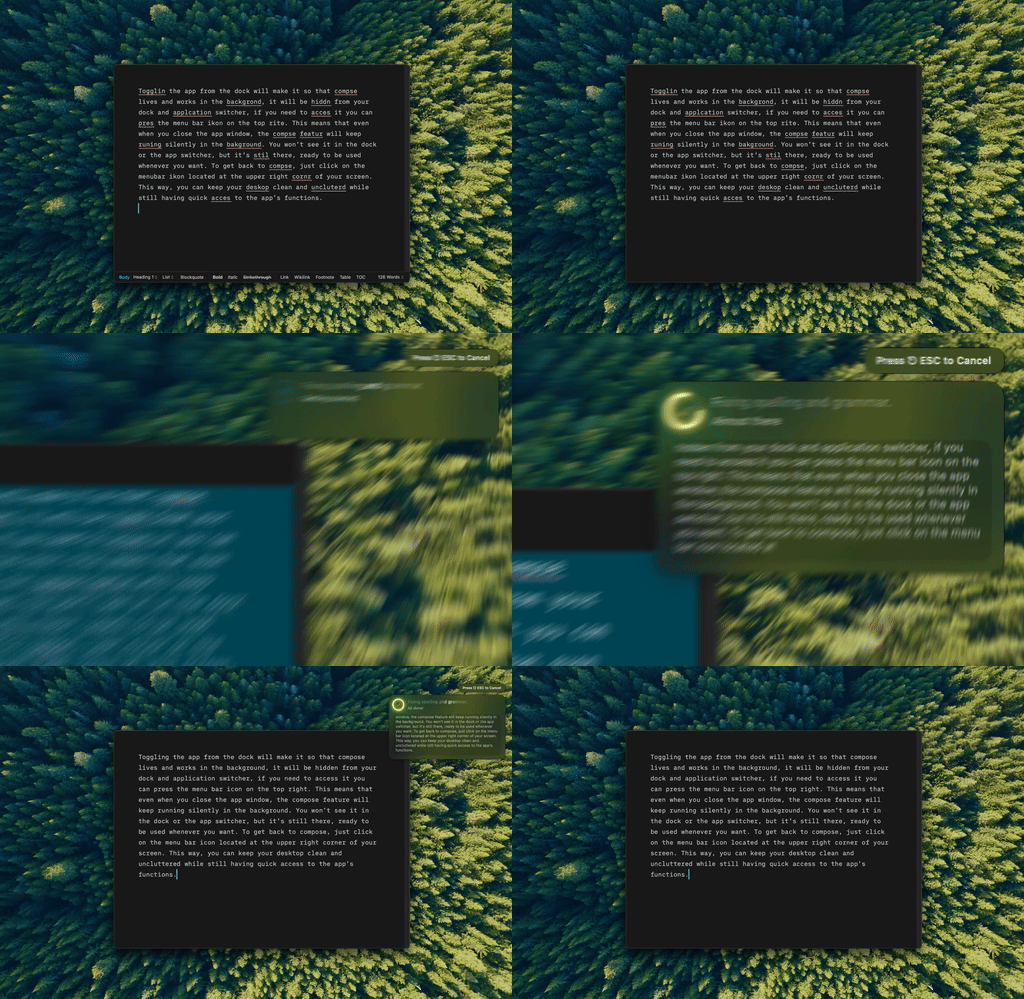
Type Mac — the selected text goes straight to the AI provider I picked, nothing stored in between.
Self-host LanguageTool with one Docker command
docker run -d \
  -p 8010:8010 \
  erikvl87/languagetool
Point your apps to http://localhost:8010 and you're done. The cloud version works too: a free 10,000-character tier, premium around five euros a month.
Three ways to weigh this, side by side
| Type Mac | Grammarly | LanguageTool | |
|---|---|---|---|
| Price | BYOK, cents per use | $12–30/mo | Free tier, premium ~€5/mo, or self-host free |
| Privacy | Straight to your provider, never stored | Text sent to Grammarly's servers | Self-hostable, stays on your network |
| Languages | Whatever the model supports | English-first | 30+ languages |
| Integrations | Any app, one shortcut | Slack, Discord, most text fields, zero setup | Browser-focused, Docker setup for self-hosting |
Grammarly wins on polish: smoother suggestions, zero-friction setup, no Docker or API keys. LanguageTool wins on privacy and price: self-hosting matters for legal or medical documents, and being open source means inspecting the rules instead of trusting a black box. If that's why you're here, the wider privacy-tool roundup covers more ground than grammar checking alone.
Where a BYOK app skips the trade-off entirely
Grammarly and LanguageTool are rule-based systems with AI bolted on. A flagship model understands language more deeply than either: real nuance, better phrasing, context a rule engine misses.
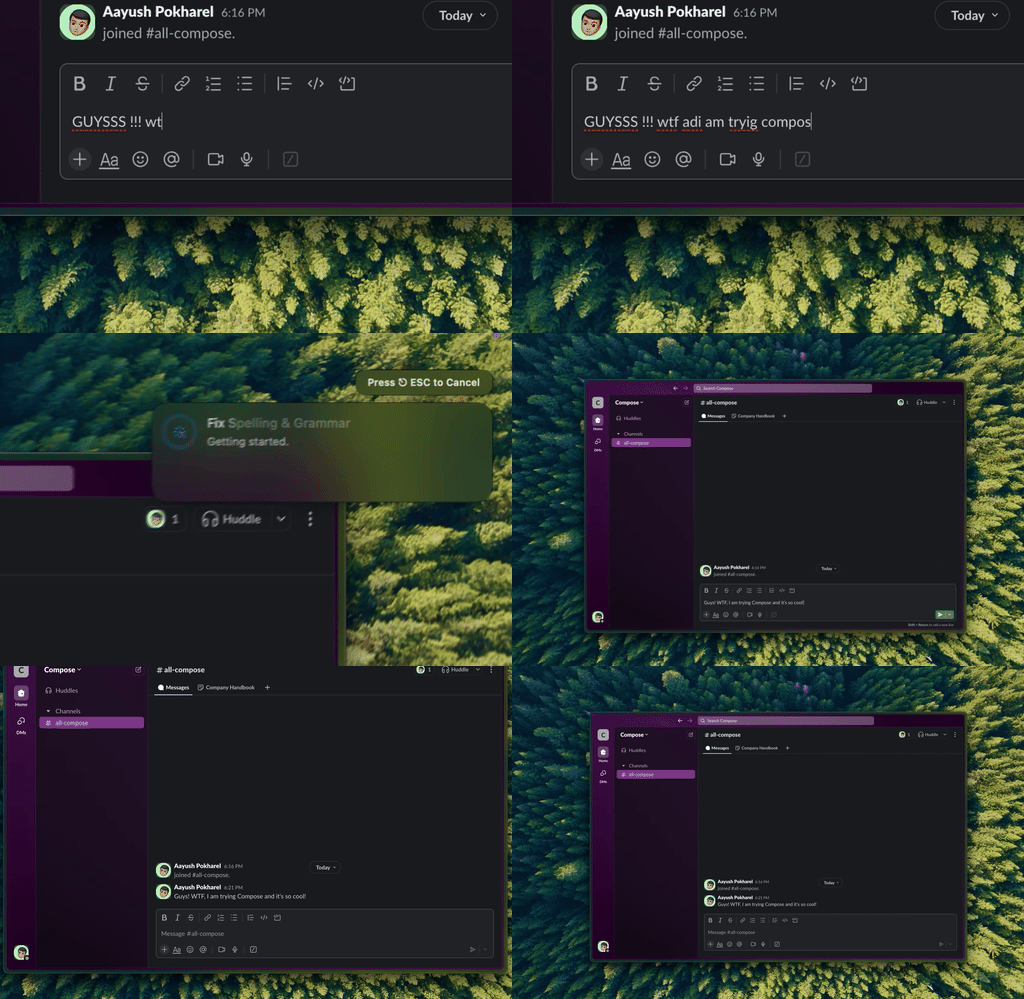
Type Mac — same fix, this time inside a Slack message instead of a document.
A BYOK app sends text straight to the provider's API: no middleman, better suggestions than either checker, system-wide through a shortcut. For more, see the native Mac roundup, or the ProWritingAid comparison if style depth matters more than privacy.
Where I landed after both
Type Mac is what's still running on my Mac. Text goes straight to the provider I chose, the same shortcut works in Slack and in a document, and I'm not stuck with one rule engine's idea of good grammar. LanguageTool stays self-hosted for the rare document I won't send anywhere else.
The honest limitation: the first time you run it, macOS asks for Accessibility permission to read and replace selected text. Grant it once, but if you read every permission prompt twice before trusting new software with sensitive writing, which is the whole point of this post, budget the minute it takes.
Type Mac is where my writing goes now.
If where your text ends up matters as much as what it catches, Type Mac is worth the one-time permission prompt.