
How to Make Your Writing More Concise with AI
I edited other people's copy for years before I turned the same red pen on my own drafts. The pattern was always the same: too many words doing the job of too few. Most first drafts run 20 to 30 percent longer than they need to.
The patterns I cut on sight
Four kinds of bloat show up in almost every draft: filler phrases, qualifiers, hedges, and passive voice.
| Wordy | Tight |
|---|---|
| "due to the fact that" | "because" |
| "in order to" | "to" |
| "has the ability to" | "can" |
| "at this point in time" | "now" |
| "make a decision" | "decide" |
| "give consideration to" | "consider" |
| "conduct an investigation" | "investigate" |
| "there are many reasons why this matters" | "this matters for many reasons" |
| "it is important to note that..." | delete it |
Qualifiers sneak in the same way: very, really, quite, basically, actually. I delete most of them on the first pass. Passive voice isn't wrong on its own, but it costs words: "the report was written by the team" versus "the team wrote the report."
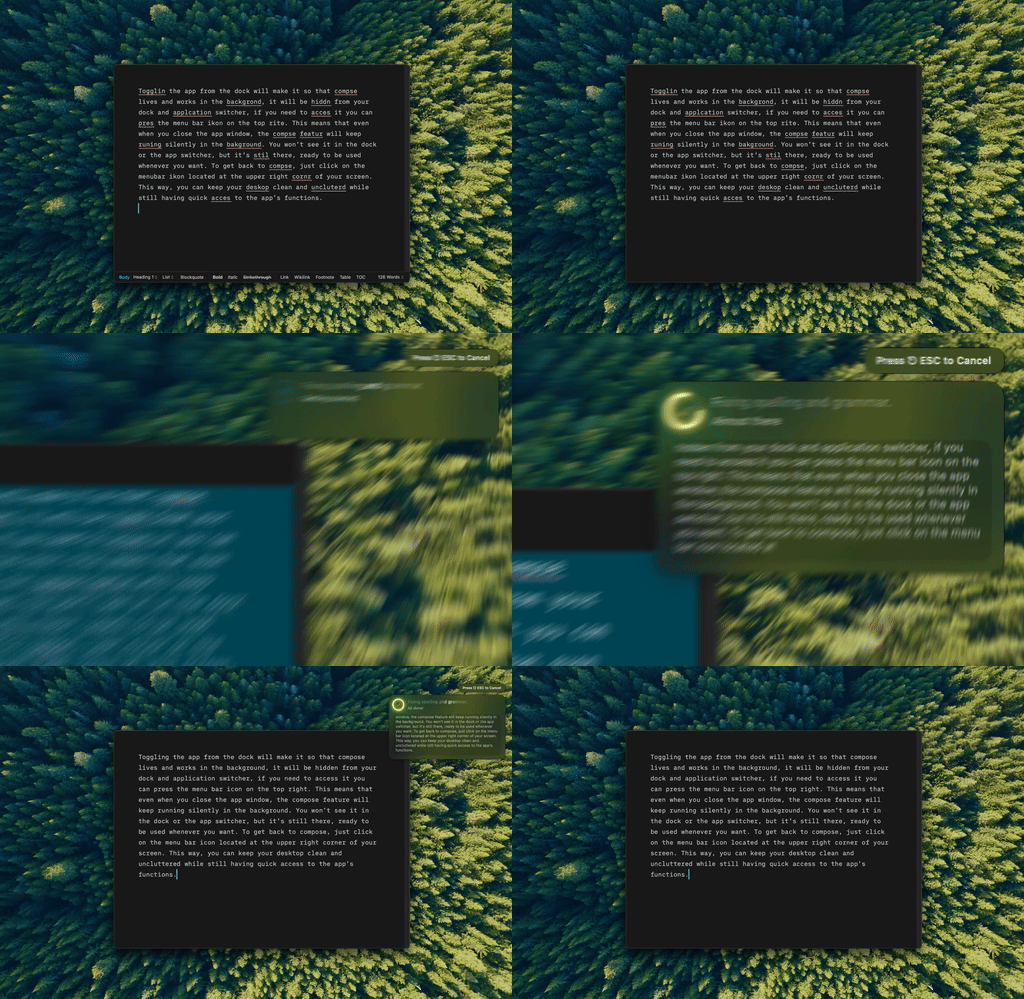
Type Mac — I select the bloated sentence, press the shortcut, and the tight version lands in place. No new tab, no pasting into a chat window.
Naming the target beats saying "shorter"
"Make this more concise" works. Naming what to cut works better: wordy phrases, qualifiers, passive voice, redundancy. I also tell it what to leave alone. Concise doesn't have to mean clinical.
Three passes, not one
- Run the draft through with "make this 30% shorter without losing key information."
- Check what got cut. Restore anything that lost meaning or voice.
- Read it once more for flow, and cut whatever's left that isn't earning its place.
I usually cut 20% outright, then ask where the remaining fat is. The tightest version I land on is almost always the one I publish.
What doesn't need to shrink
Creative writing needs room. Speeches use deliberate repetition. Legal documents need precision that adds length. I check context before I cut, the same judgment call behind protecting my own voice.
Three questions before I cut
Does this sentence earn its place? Can I say it in fewer words? Would the reader miss it if it were gone? Three yeses means cut it.
AI is also a mirror here: I ask it "what are my most common wordiness patterns in this document?" and learn more from one answer than years of self-editing did. For the opposite move, turning bullets into a paragraph, I use a different pass. For a readability score instead of an editing loop, older desktop tools flag the same issues.
What I cut with now
Type Mac is what's still on my Mac for this. I select the bloated sentence in Mail or a Doc, press the shortcut, and get the tight version back in place. Reasons it stuck over a chatbot tab:
- No copy-paste round trip, so I actually run the three-pass cut instead of skipping it when I'm rushed
- It edits in place, so a normal Cmd-Z undoes a cut that went too far
- The same shortcut works in Slack, Notion, and Mail, so the habit doesn't reset per app
The honest limitation: it's paid, no permanently free tier, only a 7-day trial on the yearly plan. For a habit I run on every draft, that trade was worth it.
Cutting the fat gets faster once it's a shortcut instead of a tab switch. Try Type Mac on your next draft.