
Proofreading Shortcuts Every Mac User Should Know
I used to proofread by rereading slowly and hoping I caught the mistake. After I started timing myself, I realized most of what I was doing by eye had a shortcut already built into macOS, or one keystroke away with the right app installed.
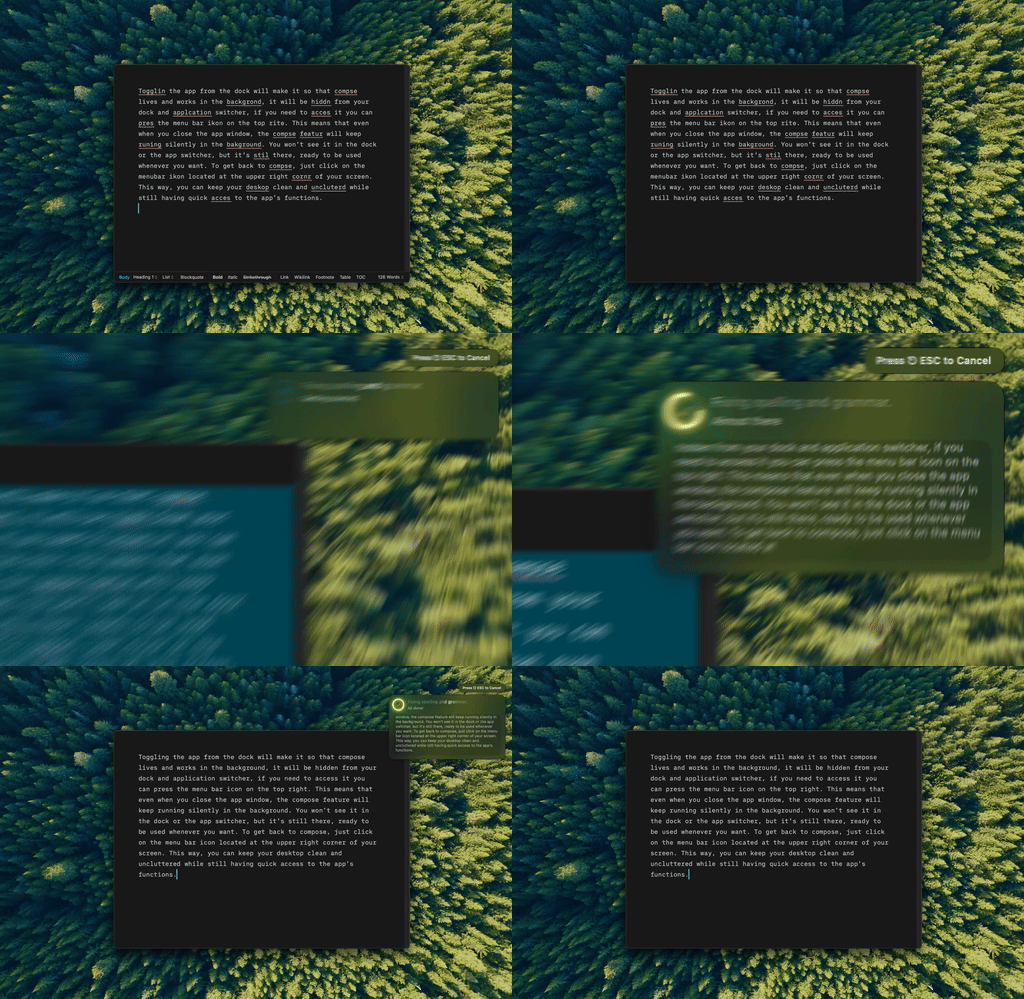
That's Type Mac: I select text anywhere on my Mac, press a shortcut, and grammar, tone, and clarity get fixed in place.
macOS shortcuts that beat clicking red underlines
| Shortcut | What it does |
|---|---|
⌘; | Jump to the next misspelled word |
⌘: | Open the full Spelling and Grammar panel |
⌥→ / ⌥← | Move by word |
⌘→ / ⌘← | Jump to line end or start |
⇧⌥→ / ⇧⌘→ | Select word / select to line end |
⌃T | Swap the two characters around your cursor ("teh" → "the") |
⌥⌫ | Delete the previous word |
Fn⌫ | Delete forward |
Once these are muscle memory, you fix errors without leaving the keyboard. I go deeper on this in a full keyboard-first productivity setup if the shortcut habit is the part you're missing.
Text replacement fixes your typo habits automatically
macOS's built-in text replacement (System Settings → Keyboard → Text Input → Text Replacements) handles more than abbreviations. I added "becuase" and "recieve" as replacements and Mac corrects them everywhere, automatically. Espanso or Raycast Snippets go further with multi-line templates and fill-in-the-blank fields, useful if you send similar emails often.
AI catches what spell check can't
Built-in spelling tools miss grammar, style, and context. My workflow: write normally, select the text, press one shortcut for grammar. It catches misused homophones, awkward phrasing, and tense shifts I skim past on my own, faster than rereading myself. The same system-wide approach is what makes grammar fixes work in every app, beyond the browser.
| Shortcut | Action |
|---|---|
⌘⌥G | Grammar |
⌘⌥R | Rewrite |
⌘⌥S | Shorten |
⌘⌥F | Formalize |
Turn proofreading into one keystroke before you hit send
For a quick message: ⌘A, grammar shortcut, glance, send. For something important, I run the AI pass, then ⌘; to catch what it missed. For anything critical, I add a fresh-eyes step: close it, come back later, reread.
Typos happen most when you're tired, rushed, or emotional, exactly when you're least likely to proofread carefully. Attach proofreading to sending as a fixed habit and willpower stops being the thing holding the line.
The proofreading shortcut I kept
Type Mac is the shortcut that stuck. Grammar, rewrite, shorten, and formalize cover almost everything I used to fix by hand, and it runs in Mail and Slack the same way it runs in Notes, so I never break flow to open a browser tab. It sits in the same menu bar lineup I cover in my roundup of Mac menu bar apps for writers.
The honest limitation: the shortcuts don't feel automatic on day one. It took about a week of deliberately reaching for ⌘⌥G before my hands did it without thinking. Worth the week.
The proofreading workflow I actually kept: Type Mac. Select text, press a shortcut, get it corrected.