
QuillBot for Mac: How the Desktop App Works in 2026
Yes, QuillBot for Mac exists, and it is free. The QuillBot macOS app puts a QuillBot widget inside supported apps such as Notes, Messages, Slack, Teams, Microsoft Word, Outlook, and WhatsApp. From that widget you get inline grammar suggestions and several rephrase options for each sentence, without a browser tab.
It has limits. The Mac app works only in the apps QuillBot supports, it does not run inside web browsers, and the larger paraphrasing features sit behind QuillBot Premium, whose price depends on your region. This guide covers setup, Word, the free plan, and removal. It is written on the Type Mac blog, and the last section compares QuillBot with Type Mac, so weigh that part with that in mind.
What the QuillBot Mac app does
QuillBot describes the app as working "like a Chrome extension" for your desktop apps. In practice:
- Grammar suggestions appear inline as you write, and you can fix them one at a time or all with one click.
- Rephrase options give you several rewrites for each sentence.
- Translation is part of the app: QuillBot's help center mentions paraphrasing and translating text in the macOS app.
- Per-app control lets you choose which apps QuillBot can read.
QuillBot also lists features as "coming soon" on its Mac page, including grammar explanations and tone statistics. Judge the app on what ships today.
QuillBot for Mac download and setup
- Download QuillBot for macOS from quillbot.com/app/mac.
- Open the file and follow the installer.
- When the app asks, choose which apps QuillBot has permission to access.
- Open a supported app, such as Notes, and look for the QuillBot widget.
To change the app list later, click the QuillBot icon in the upper-right corner of your screen, open Settings, and click Active Apps.
Where QuillBot for Mac works, and where it stops
QuillBot's help center says the macOS app "only supports a certain number of apps," and that the team is adding more. If the widget does not show up in an app, that app is not on the list yet.
Two more limits from QuillBot's own help pages:
- No browsers. The Mac app does not work in your web browser. For Safari or Chrome, install the QuillBot browser extension instead.
- Formatting. QuillBot's note for version 2.4 of the app says it sends plain text to QuillBot's servers. When the rewrite comes back, it takes the formatting of the start of your selection, so headings, colors, and bullet lists can change. QuillBot recommends working one paragraph or one bullet at a time, and it limits how much text you can paraphrase at once.
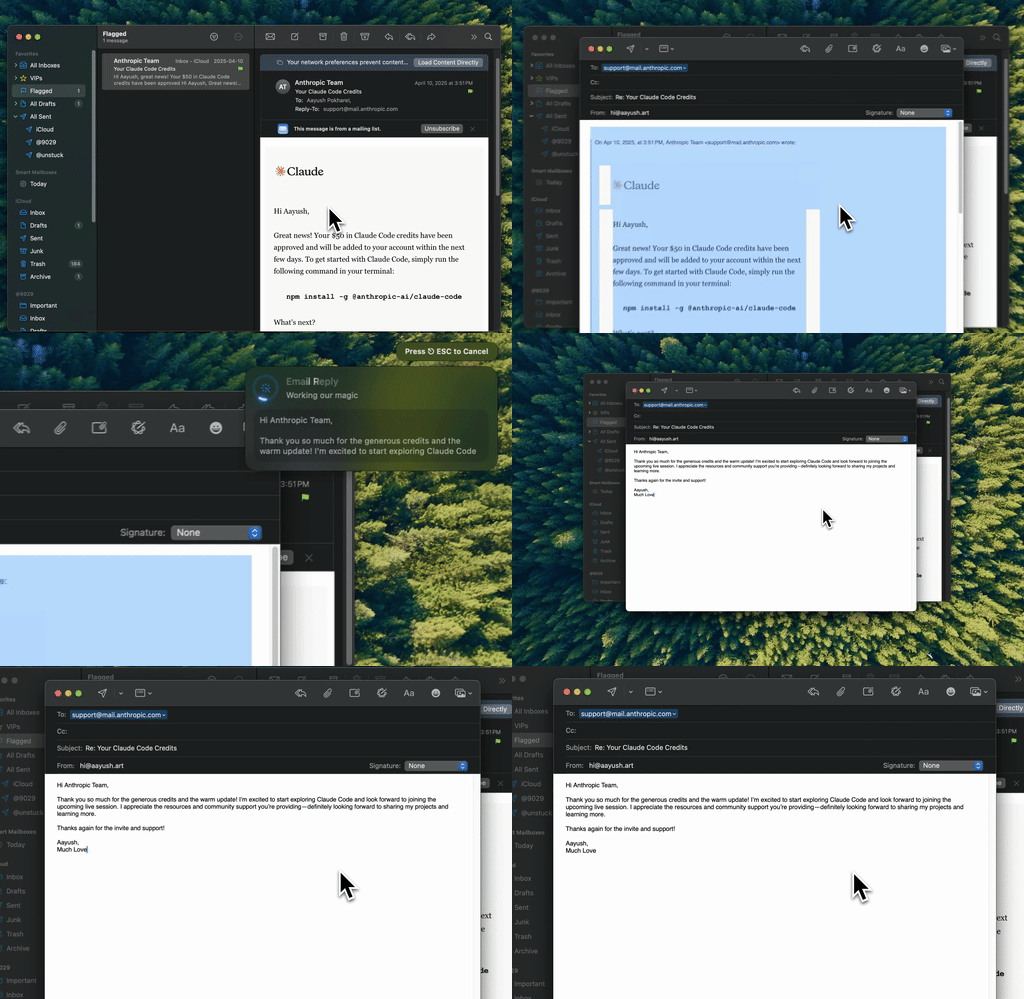
Type Mac: the same rewrite job in any app where you can select text, browsers included.
QuillBot for Word on Mac
Word gets a separate tool: the QuillBot add-in for Microsoft Word. QuillBot says the same add-in works in Word on Mac, Word on Windows, and Word online, and you install it from the Microsoft Office Store. It opens QuillBot's Paraphraser and Grammar Checker in a sidebar next to your document.
The add-in needs a QuillBot account and an internet connection. Free users get the basic features. Premium unlocks more modes and higher word limits.
QuillBot free vs Premium
QuillBot's help center lists what a free account includes:
- Standard and Fluency paraphrasing modes
- 3 synonym settings
- Paraphrasing up to 125 words at a time
- Summarizing up to 1,200 words
- Access to the extensions
- A limited number of AI Chat questions a day
Premium adds the other modes and higher limits, with monthly, quarterly, and yearly plans. QuillBot says the price depends on your region and plan, and it adjusts to your location and currency at checkout. Because the number changes by country, this post gives none. Check quillbot.com/premium for yours.
How to uninstall QuillBot on Mac
QuillBot can sit in three places on a Mac. Remove each one you installed.
The QuillBot Mac app
- Quit QuillBot.
- Open Finder, then Applications.
- Drag QuillBot to the Trash, then choose Finder > Empty Trash.
- Open System Settings > Privacy & Security > Accessibility and turn off any QuillBot entry that is still listed.
QuillBot for Safari
- In Safari, choose Safari > Settings, click Extensions, and uncheck QuillBot for Safari.
- In Finder > Applications, drag QuillBot for Safari to the Trash.
QuillBot for Word: remove the add-in from Word's add-ins list.
Uninstalling an app does not cancel a subscription. Cancel Premium in your QuillBot account first.
QuillBot for Mac vs Type Mac
| QuillBot for Mac | Type Mac | |
|---|---|---|
| How you use it | A widget inside supported apps | Select text, press a shortcut |
| Where it works | Apps on QuillBot's supported list; no browsers | Any app where you can select text |
| What it does | Grammar suggestions, rephrase options, translation | Fix, rewrite, change tone, shorten, expand, translate |
| AI model | QuillBot's own | Built-in model, or your own OpenAI, Anthropic, Gemini, Groq, or OpenRouter key |
| Free plan | Yes | No; 7-day free trial on the yearly plan |
| Paid price | Varies by region | $4.99 a month or $49.99 a year |
QuillBot's free app is a good fit if your writing stays in its supported apps and short paraphrases cover your needs. Type Mac fits when you want one shortcut that works in every app, including Safari and Chrome, and when you want to pick the model that does the rewrite. You can also save your own prompts as shortcuts, such as "rewrite for a customer" or "make this formal."
The honest limits of Type Mac: no free plan, no word-by-word synonym picker, and no iPhone or Windows app.
For the paraphrasing quality question, read our QuillBot vs Grammarly vs ChatGPT comparison. For more rewriting tools, see Wordtune alternatives and LanguageTool alternatives. To see how Type Mac handles this job, open rewrite selected text on Mac.
FAQ
Is QuillBot for Mac free?
Yes. QuillBot says you can use the macOS app for free for as long as you like. Premium adds more modes and higher limits.
Does QuillBot for Mac work in Apple Mail?
Yes. QuillBot's help center says the macOS app works in Apple Mail.
Does the QuillBot Mac app work in Safari or Chrome?
No. Use the QuillBot browser extension in your browser. The Mac app covers desktop apps only.
Is there a QuillBot add-in for Word on Mac?
Yes. The QuillBot for Word add-in runs on Word for Mac, Windows, and the web. Install it from the Microsoft Office Store.
Sources
- QuillBot for macOS
- Why is QuillBot for macOS not working in certain apps? (QuillBot Help)
- Will text format change in the QuillBot macOS app? (QuillBot Help)
- Can I use the QuillBot macOS app in my web browser? (QuillBot Help)
- What is the QuillBot Word add-in? (QuillBot Help)
- Free vs Premium account (QuillBot Help)
- What is the price of QuillBot Premium? (QuillBot Help)
- How do I uninstall the QuillBot Safari extension? (QuillBot Help)
- Delete or uninstall apps on Mac (Apple Support)
- Allow accessibility apps to access your Mac (Apple Support)
Want one rewrite shortcut for every Mac app, browsers included? Try Type Mac with a 7-day free trial on the yearly plan.