
Best Translation Apps for Mac (Beyond Google Translate)
I got tired of the Google Translate shuffle: select text, switch to a browser tab, paste, wait, copy the result, switch back, paste again. Eight steps for something that should take one. I spent a few weeks running every native Mac translation app I could find side by side against that browser tab to see which one earned a permanent spot in my menu bar.
This post stays narrow: apps that live on your Mac, not browser tools, the same reasoning behind why native apps beat Electron ones on a Mac. For the shorter answer across every category, I keep a running shortlist here.
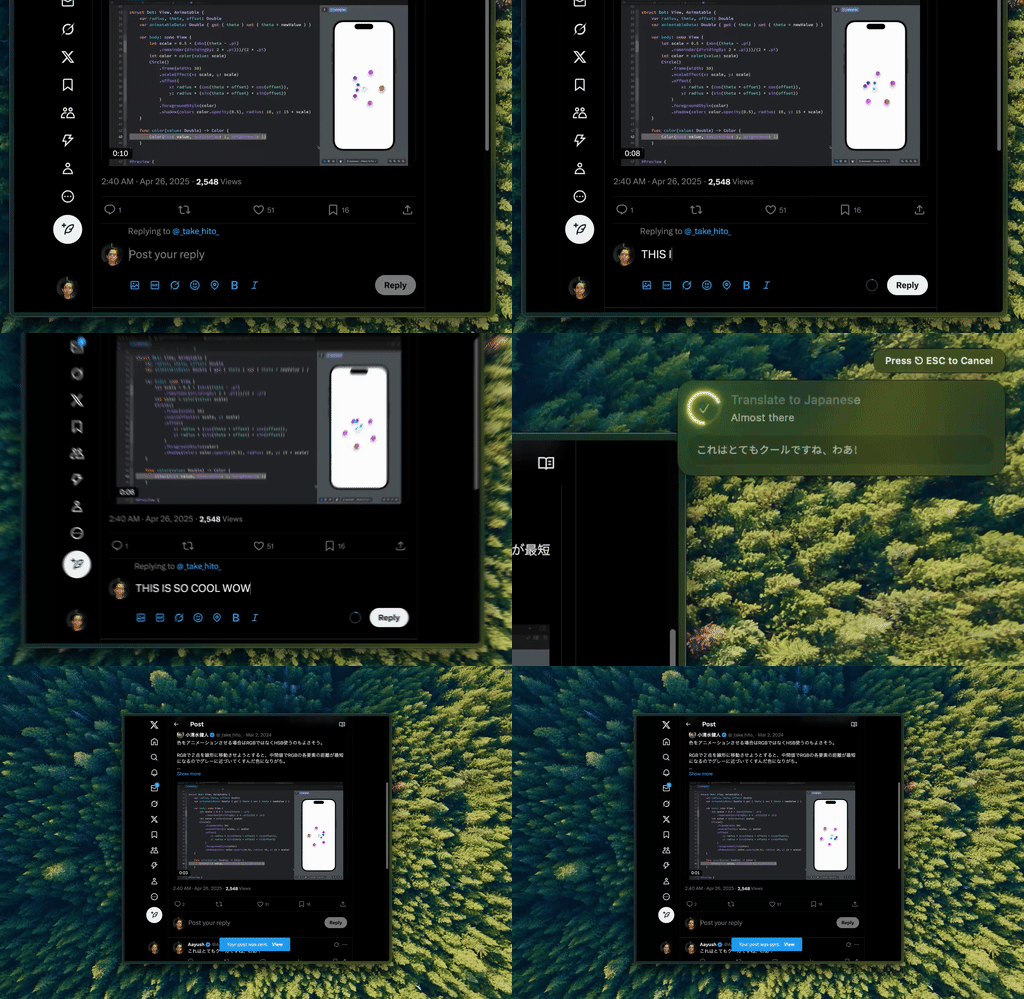
Type Mac is the one I kept open. Select text anywhere on the Mac, press the shortcut, it comes back translated in place.
Apple's Translate is private, but it stops at 17 languages
Select text in any app, right-click, choose Translate. On Apple Silicon it runs on-device, so nothing leaves my Mac, plenty for a menu or a text message. I used it as my only translator for a week and hit the ceiling fast: 17 languages, no way to adjust tone, anything nuanced comes out flattened.
DeepL reads the best, but it's still copy-paste
DeepL beat Google Translate every time I tested French, German, Spanish, and Italian, translations that read like a person wrote them. The Mac app has a menu bar icon, keyboard shortcuts, and handles full PDFs and Word docs.
The free tier gives 500,000 characters a month; Pro is $8.74/month for unlimited. What it doesn't do is replace text where it sits: select, copy, switch to the DeepL window, paste, copy the result back. Its 31 languages are also a fraction of Google's 133.
AI translation carries tone across; dictionary tools can't
Traditional engines translate word by word. Feed a frontier model the French idiom "il pleut des cordes," literally "it's raining ropes," and it comes back "it's raining cats and dogs," not the nonsense literal version. Tone survives too, and I can steer it directly: "translate this keeping it formal" or "translate this like a text to a friend."
A BYOK app connected to Claude or GPT costs a fraction of a cent per sentence, I've watched a full page land around $0.02 to $0.05. A few dollars a month covers realistic use. For where that text actually goes once it leaves your Mac, I wrote about that separately.
Mate Translate, iTranslate, and Linguee: worth knowing, not worth switching to
| Tool | Price | Languages | Best for |
|---|---|---|---|
| Mate Translate | $29.99 one-time | 103, with offline packs | Quick lookups, offline while traveling |
| iTranslate | $5.99/mo | 100+, voice in/out | Romanization for non-Latin scripts |
| Linguee | Free | DeepL's sibling | Not a translator: shows how phrases are used in real documents |
Mate and iTranslate quality lags behind DeepL and AI translation, and I stopped opening either once a system-wide option was running. Linguee doesn't machine-translate at all, it's a reference for the right term in a technical or legal context, the one app here I still reach for on purpose.
The translation app still on my Mac
Type Mac is what's still running in my menu bar:
- It replaces text in place in any app, no window to switch to, no result to copy back
- It carries tone and formality the way an AI model does, not word by word like Apple's Translate
- The same shortcut handles translation, grammar, and rewriting, so I'm not juggling four apps
The honest limitation: it's Mac only, no iPhone version, no Windows version. If translation needs to follow you across devices, DeepL or Google Translate still cover that better.
Type Mac translates anywhere on your Mac with GPT, Claude, or Gemini, BYOK, one shortcut, no browser tab required.