
Superwhisper vs Wispr Flow: Best Voice-to-Text App for Mac in 2026
I talk faster than I type, and dictation gets a messy first draft out in the time it takes to write two clean sentences. The catch: "messy" is exactly what you get. My mouth wanders, backtracks, and forgets where the last sentence ended. I tested the two apps that get the most attention for turning speech into text on a Mac in 2026, Superwhisper and Wispr Flow. They solve the same problem in opposite ways.
Superwhisper runs on-device, Wispr Flow runs in the cloud
| Superwhisper | Wispr Flow | |
|---|---|---|
| Processing | On-device on Apple Silicon, offline by default; optional cloud model for extra accuracy | Cloud only, no offline mode |
| Cleanup/rewriting | Basic, plus custom modes with your own prompts and formatting rules | Strong: turns a rambling take into structured sentences |
| Sync | Mac only | Mac, Windows, iPhone, Android |
| Pricing | Free tier, plus monthly, yearly, or one-time lifetime license | Free tier capped by weekly word count, monthly subscription only |
| Setup | Deep settings; the first hour feels like a lot | Works out of the box |
Apple's own dictation is a third, free option that covers casual notes but falls short of both on formatting and accuracy.
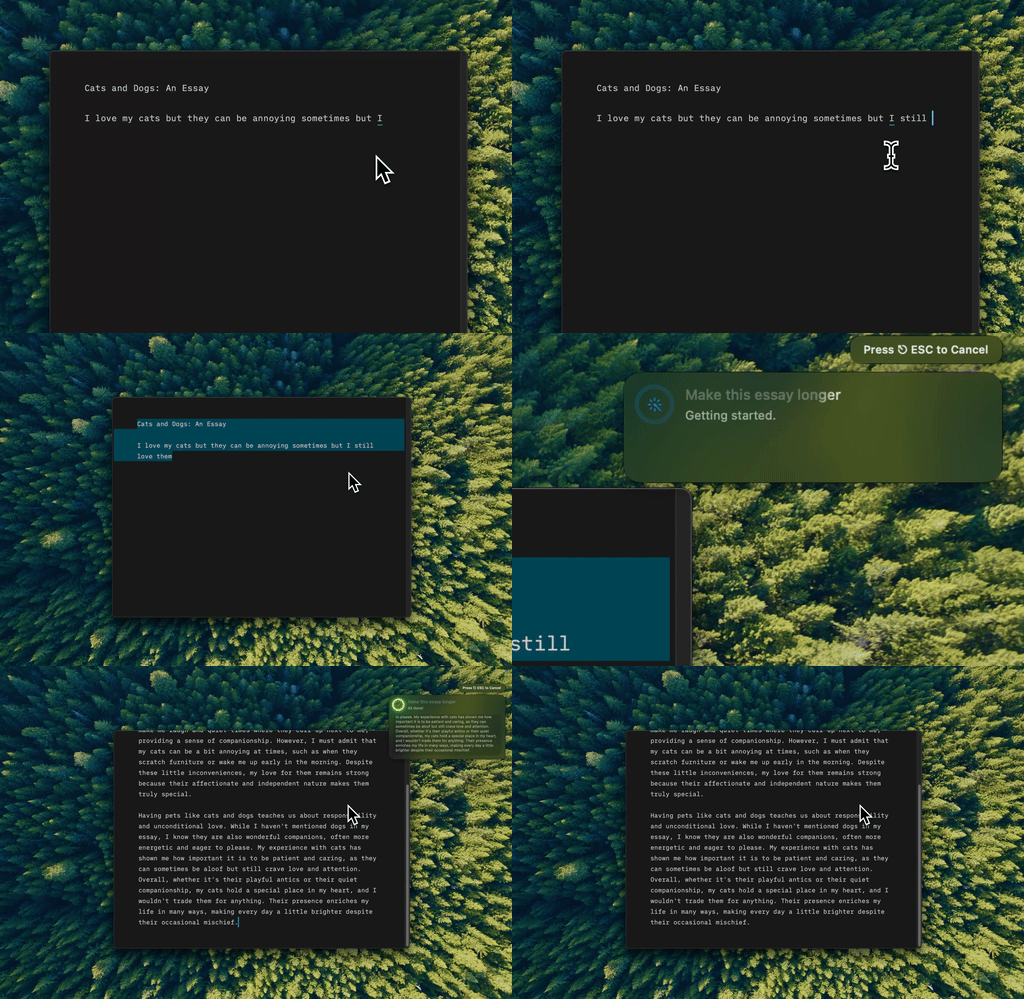
Type Mac takes the raw block of text a dictation app hands back and tightens it into something worth sending.
Superwhisper for privacy and control, Wispr Flow for zero setup
If you handle sensitive material, want offline transcription, or like tuning every knob, Superwhisper is the pick. If you would rather it work across every device and clean up your speech in the cloud with no setup, Wispr Flow is the smoother ride. For where dictated text actually goes once you hit send, I covered that in how AI writing tools handle your drafts.
Neither app solves the second half of the problem
Transcription is only half the job. A voice model can spell every word right and still hand back text that reads like a voicemail: false starts, a tangent about lunch, the same point made twice, no paragraph breaks. Wispr Flow's rewriting helps, but it runs at the moment of capture, on its terms. Sometimes I dictate into Superwhisper, or Apple Dictation, or straight into Slack, and only decide afterward the tone is off or the whole thing needs to be half as long.
That's where a text tool earns its place. Dictate rough thoughts however feels natural, then select the result and fix it in place. Type Mac works from a keyboard shortcut in any app, cutting repetition, adding structure, or shifting a casual ramble into a clear email, without copying anything into a separate window. Dictation gets words out of my head. This gets them ready for someone else to read. I use the same system-wide grammar fixes for anything I type by hand too.
What cleans up my dictation
Superwhisper and Wispr Flow both still have a place, depending on the day. But Type Mac is the one running in the background no matter which dictation app I used to get the words out:
- It doesn't care where the rough text came from, a voice memo, a Slack draft, or a dictated email, the shortcut works the same way on all of it
- It reads the raw transcript in context and cuts the false starts a dictation app's own cleanup misses
- The same app handles privacy the way BYOK apps do: text goes to the model I picked, not through a middleman server
The honest catch: the habit takes about a week to stick. I kept reaching for copy-paste out of muscle memory until the shortcut became automatic.
Dictate it messy, then clean it up in place. Type Mac is free to try for 7 days on the yearly plan, then $4.17 a month.