
How to Write Professional Emails Faster with AI
I used to spend five to ten minutes on emails holding maybe three pieces of information. Not because the content was complicated, but because I was performing a ritual: right greeting, right tone, right order, soften the bad news before the ask. I tried a handful of AI approaches to close that gap, and only one was still running by the end.
Bullet-to-email: rough notes in, formatted email out
I typed this into a few different tools:
meeting thursday 2pm, bring Q3 numbers, need projections for next year, conference room B
Each turned it into a formatted email with a greeting, logical flow, and a sign-off in under a minute. Same information, thirty seconds instead of five minutes, and nobody would guess I typed it as a fragment.
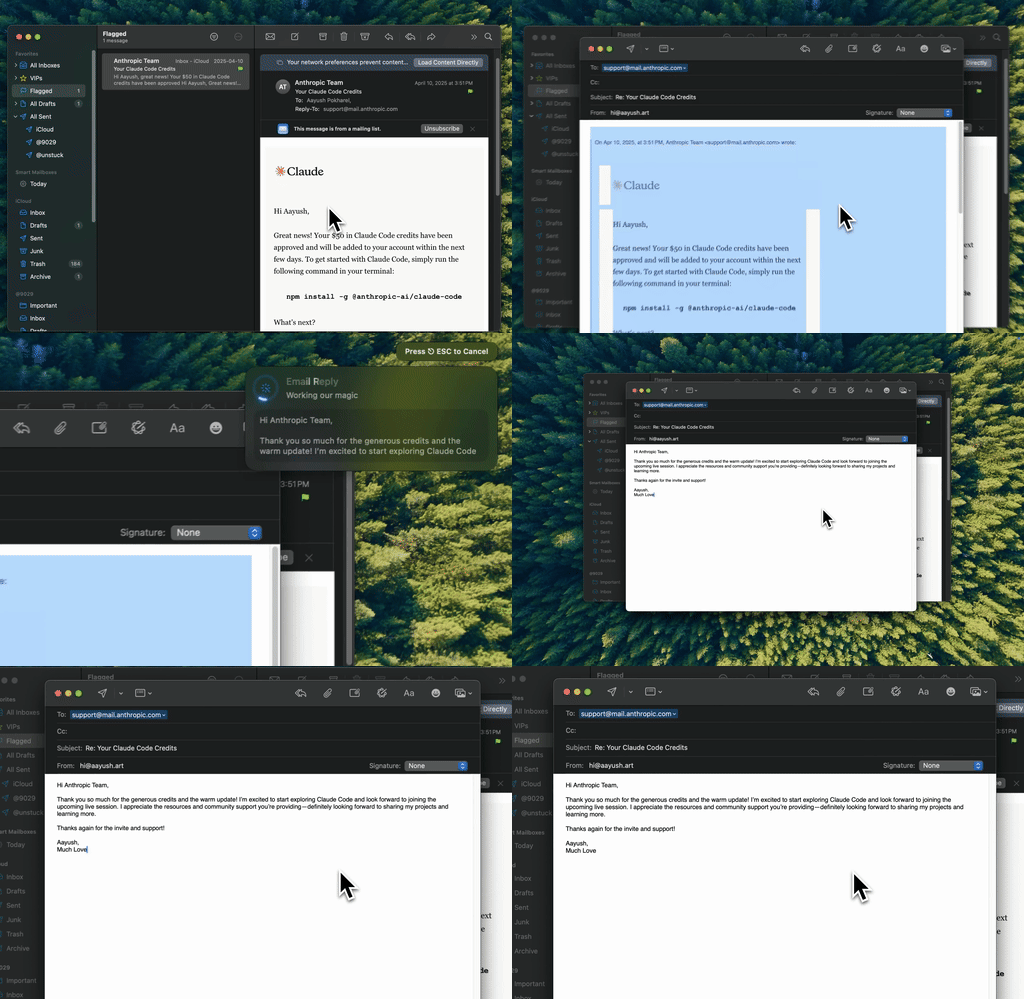
Type Mac — my actual rough note going in, a sendable email coming out, right inside the app I was already using.
Reply assistance: paste their email, get a reply that hits every point
Someone sends a long email. I already know my answer: yes to the meeting, but Wednesday works better, and I'm worried about budget. I type that as a rough note, paste their email for context, and get back a reply that hits each point without losing their tone. Matching how someone else writes is real work, and it adds up across thirty emails a day.
Tone adjustment: write the content once, adjust for the reader
The same information reads differently to my CEO, a colleague, and a client I've never met. Instead of rewriting it three times by hand, I write the content once and describe the reader: "executive-level, concise" for leadership, "warm, first impression" for someone new, "diplomatic, pushing back without damaging the relationship" for a client. Keeping that consistent across a dozen relationships is its own skill, and the same challenge shows up in everything I write, email included.
Two mistakes: sending without reading, and being vague
Sending without reviewing cost me a few embarrassing emails early on. AI gets tone wrong sometimes: too formal, too casual, or padded with "I hope this email finds you well." Read the output before it goes.
Being vague with the input is the other one. "Write an email to my boss" gets a form letter. "Write an email to my boss asking for Friday off, she's flexible but likes advance notice" gets something I'd actually send.
Where the sensitive stuff shouldn't go
Emails carry sensitive business information constantly: deals in progress, personnel issues, financial details. A BYOK app sends your content straight to the provider (OpenAI, Anthropic) under its own privacy terms, not through a third server in between. For anything confidential I leave the specifics out of the prompt and let AI handle structure and tone instead of the facts.
The habit didn't stay inside email. I run the same select-shortcut-send loop on Slack messages before I hit enter, the same shortcut that carried into how I use Slack day to day.
What gets my email out faster
One thing is still open on my Mac: a shortcut-based rewriter I run on the draft after I've typed it, not a chatbot writing the email for me from scratch. Three reasons:
- I still write the actual content. It expands and formats what I typed instead of guessing what I meant.
- It works in Apple Mail, Gmail's web app, and Notes, wherever I start typing, so the habit doesn't break when I switch apps.
- Saved context keeps the tone mine across a CEO email and a casual one.
The honest limitation: it edits text you already wrote. Want something to invent an email from a blank page with no notes, this isn't that. You still type the rough version first.
Type Mac is what's still open when I need to send something today.
Turning a rough note into something you'd actually send takes one shortcut. Type Mac does the formatting so you can keep thinking about what to say.