
How to Cancel a Grammarly Subscription (and Get a Refund)
How to cancel a Grammarly subscription depends on where you paid. On Grammarly's website, sign in, click the Account tab, choose Your account → Subscription, and click Cancel Subscription. You keep the paid features until the end of the period you paid for. If you paid through the App Store or Google Play, cancel there instead. Grammarly's cancel page points App Store buyers to Apple's steps.
For refunds, Grammarly's policy is that "refunds are issued only if required by law." App Store buyers ask Apple, and Google Play buyers ask Google. All steps below come from Grammarly, Apple, and Google support pages.
How to cancel a Grammarly subscription on the web
- Sign in to your Grammarly account and click the Account tab in the left sidebar.
- Click Your account → Subscription.
- Click Cancel Subscription at the bottom of the page.
- In the window that appears, click Continue.
- Choose a reason, then click Cancel Subscription.
The direct page is account.grammarly.com/subscription. On a phone, cancel in a browser at account.grammarly.com, not in the app. Canceling stops the automatic renewal, and your paid access continues until the current period ends.
How to cancel Grammarly in the App Store
On a Mac:
- Open the App Store and click your name at the bottom of the sidebar. If you see Sign In, sign in to your Apple Account.
- On the page that appears, click your name.
- Click Subscriptions.
- Click Grammarly, then click Cancel Subscription.
On an iPhone or iPad: open Settings, choose your name, choose Subscriptions, choose Grammarly, and choose Cancel Subscription.
If there is no Cancel button, or you see an expiration message in red text, the subscription is already canceled. To stop a trial before it renews, Apple says to cancel at least 24 hours before the trial ends.
How to cancel Grammarly on Google Play
On a computer:
- Go to your subscriptions on play.google.com.
- Next to Grammarly, click Manage.
- Click Cancel subscription, select a reason, and click Continue.
On Android: open Google Play, go to Subscriptions, select Grammarly, and choose Cancel subscription.
Google notes that uninstalling the app does not cancel the subscription. Sign in with the same Google Account that bought it.
If you pay for Superhuman
Grammarly is now part of Superhuman. If your plan is a Superhuman subscription, open settings.superhuman.com/billing, scroll to the bottom, and click Cancel Subscription. Grammarly says that a cancellation through your Grammarly account applies to all apps in the Superhuman suite. Superhuman's page says that "previous charges aren't refunded."
How to cancel the Grammarly free trial
Use the same web steps above. Grammarly says: "To avoid being charged after your free trial ends, cancel your subscription before the trial ends." After you cancel, the trial ends at once, your account changes to the free version, and you keep your documents.
If the trial started through the App Store, cancel it there at least 24 hours before it ends.
How to cancel Grammarly Pro
Grammarly Pro uses the same steps: Account → Your account → Subscription → Cancel Subscription. The steps are the same for any plan that you bought on grammarly.com, Premium and the regional Plus plan included. If your Pro plan comes from your company or school, your subscription admin manages it, so ask them.
Grammarly cancel subscription not working?
- No cancel button on grammarly.com: make sure you signed in to the account that pays. Grammarly names this as the first check.
- You paid through Apple or Google: cancel those plans in the App Store or Google Play, with the steps above.
- Red expiration text in the App Store: the plan is already canceled.
- You cannot sign in to the paid account: contact Grammarly support.
Can you cancel a Grammarly subscription and get a refund?
Grammarly's refund page says: "You can cancel your subscription at any time. As outlined in the Grammarly Terms of Service, refunds are issued only if required by law." The route depends on how you paid:
| Where you paid | How to ask for a refund |
|---|---|
| grammarly.com | Grammarly issues refunds only if required by law. Use Grammarly's support request form for questions. |
| App Store | Request it from Apple (steps below). |
| Google Play | Request it on Google Play. After 48 hours, Google says to contact the developer. |
App Store refund:
- Sign in to reportaproblem.apple.com.
- Click I'd like to, then choose Request a refund.
- Choose the reason, then click Next.
- Select the Grammarly subscription, then click Submit.
Apple says to allow 24 to 48 hours for an update on the request.
Google Play refund: on play.google.com, click your profile picture → Payments & subscriptions → Budget & order history. Next to the Grammarly order, click Report a problem, choose the option that fits, note that you want a refund, and click Submit.
Grammarly refund if you forgot to cancel
Cancel first, so the next renewal does not charge you. Then ask through the store you paid with: Apple for the App Store, Google Play or Grammarly support for Google Play, and Grammarly support for grammarly.com. Grammarly's stated policy is refunds only where the law requires them, so a refund is not guaranteed.
How to delete your Grammarly account
- Cancel any paid subscription first.
- Sign in at grammarly.com/signin.
- Go to the Profile page and click Delete Account at the bottom.
- Confirm with your password, your Google account, or the 6-digit code that Grammarly emails you.
If your paid subscription is still active, Grammarly asks you to submit a support ticket to delete the account. If your account is part of an organization, the admin must remove it first. Superhuman users email [email protected]. Deletion removes your personal information and your Grammarly Editor documents, and you cannot undo it.
To remove the app from your Mac too, follow how to uninstall Grammarly on Mac.
What to use next on a Mac
If you still want help with grammar and tone after you cancel, Type Mac works in every Mac app with one shortcut. Select the text, press the shortcut, and the fixed version replaces it.
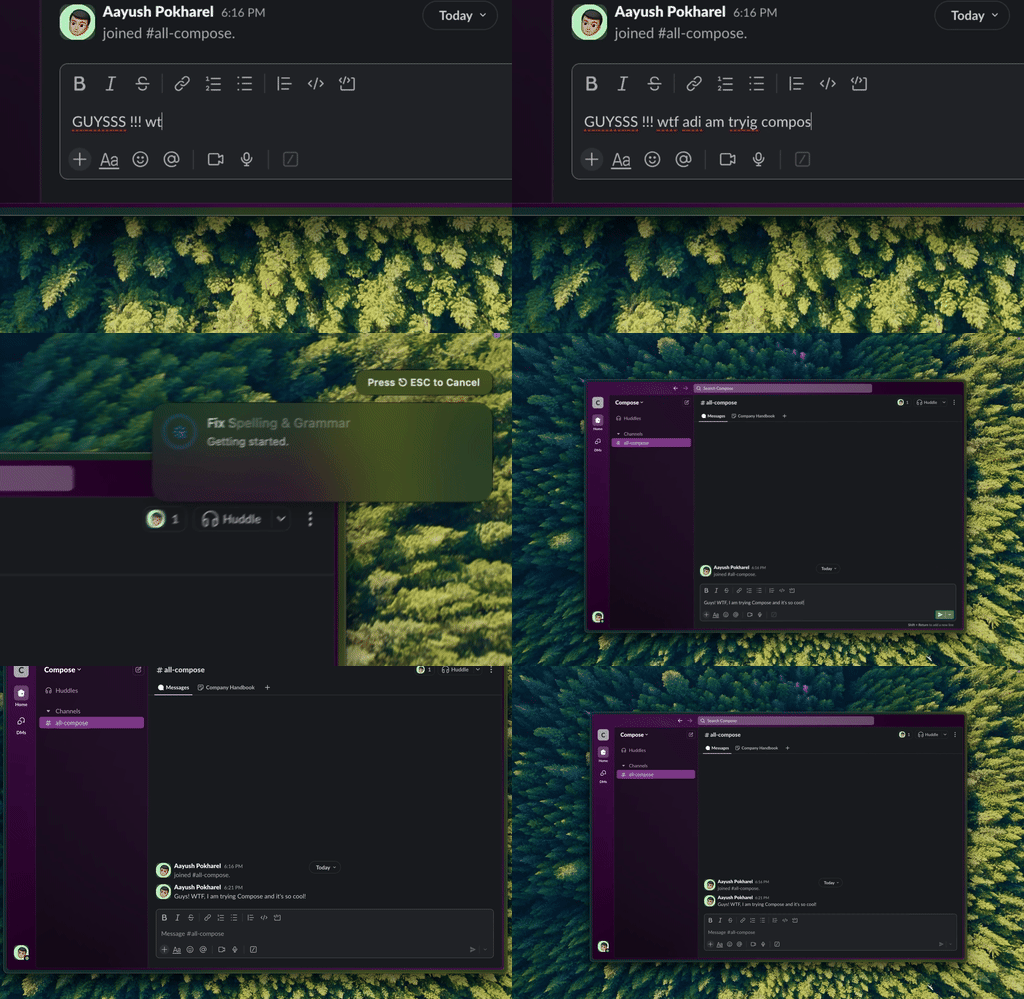
Type Mac: select a message, press the shortcut, and send the clean version.
| Type Mac plan | Price | Trial | Refund window |
|---|---|---|---|
| Monthly | $4.99 a month | None | 14 days |
| Yearly | $49.99 a year | 7 days free | 30 days |
You can cancel Type Mac from the app: Manage Billing opens Stripe, where you cancel or change your payment method without a support email. Compare more options in Grammarly alternatives for Mac, or read what Grammarly's free plan gives you if you want to stay on the free version.
FAQ
What happens after I cancel Grammarly?
Your plan stops renewing, and you keep the paid features until the end of the period you paid for. If you cancel a free trial, the account changes to the free version at once, and you keep your documents.
Does deleting the Grammarly app cancel my subscription?
No. Cancel the subscription on grammarly.com, or in the App Store or Google Play if you paid there.
Can I get a refund if I forgot to cancel Grammarly?
Grammarly issues refunds only if the law requires them. For App Store purchases, request a refund at reportaproblem.apple.com. For Google Play, request it on Google Play, or contact Grammarly after 48 hours.
How do I cancel Grammarly on my iPhone?
If you subscribed in the App Store, open Settings, choose your name, then Subscriptions, then Grammarly, and choose Cancel Subscription. If you subscribed on grammarly.com, cancel in a browser at account.grammarly.com.
Sources
- How to cancel your subscription (Grammarly Support)
- How to cancel your Grammarly free trial (Grammarly Support)
- About Grammarly refunds (Grammarly Support)
- About Grammarly Plus (Grammarly Support)
- Manage your Superhuman subscription (Grammarly Support)
- Delete your Grammarly account (Grammarly Support)
- Cancel a subscription from Apple (Apple Support)
- Request a refund for apps or content that you bought from Apple (Apple Support)
- Cancel, pause, or change a subscription on Google Play (Google Play Help)
- Request a refund on Google Play (Google Play Help)
Want grammar help in every Mac app? Try Type Mac with the 7-day free trial on the yearly plan.