
Apple Intelligence Not Showing on Mac? Here Is Why
Apple Intelligence not showing on Mac has one of nine causes: an Intel Mac, an old macOS version, a different settings pane on macOS 27, an unsupported language, an unsupported region, an unfinished model download, an external startup disk, System Integrity Protection that is off, or a Screen Time or company restriction.
Start in System Settings. On macOS 27, open the Siri pane. On macOS Tahoe 26, open Apple Intelligence & Siri. For most causes, the pane shows a message that names the problem. The table below matches each message to its fix.
Apple Intelligence not showing in settings on Mac
The location changed in macOS 27.
| macOS version | Where Apple Intelligence is | How it turns on |
|---|---|---|
| macOS Tahoe 26 | System Settings > Apple Intelligence & Siri | Click the button next to Apple Intelligence, or click Turn on Apple Intelligence |
| macOS 27 | System Settings > Siri, in Apple's guide | Apple says it is automatically available on eligible Macs |
On macOS 27, Apple's guide uses the Siri pane for Siri AI (Beta) and for the ChatGPT extension. If you look for a pane named Apple Intelligence on macOS 27, open Siri instead.
9 reasons for Apple Intelligence not showing on Mac
The quoted messages are the text that macOS 27.2.1 shows in the Siri pane.
| Cause | What you see | Fix |
|---|---|---|
| Intel Mac | No Apple Intelligence at all | None; it needs M1 or later, or MacBook Neo |
| Old macOS | No Apple Intelligence options | Update in System Settings > General > Software Update |
| Mac language | "Apple Intelligence is not available when Mac is set to [language]." | Set a supported language |
| Siri language | "Apple Intelligence is not available when Siri is set to [language]." | Set Siri to the same supported language |
| Language mismatch | "Apple Intelligence requires that Mac and Siri are set to the same language." | Match the two settings |
| Region | "Apple Intelligence is not available in your country or region." | See the region section below |
| Download or storage | "Downloading support for Apple Intelligence. Connect Mac to the internet and power while models are downloading." | Stay online and on power; free up storage |
| External startup disk | "Apple Intelligence is not available when starting your Mac from an external volume." | Start up from the internal disk |
| System Integrity Protection off | "Apple Intelligence and other services may be unavailable when System Integrity Protection is turned off." | Turn System Integrity Protection back on |
Two more checks apply to family and work Macs. In Screen Time, a parent can block Writing Assistance and other capabilities. On a Mac that your company manages, the message "Certain capabilities are managed by your organization and cannot be changed." means an IT policy is in effect.
Why is Apple Intelligence not working on my Mac after a language change?
Apple says that after you change the Siri language, Apple Intelligence can stay unavailable until the new Siri language downloads and matches the device language. Keep the Mac online and wait. See the full list of supported languages.
Apple Intelligence is not available in your country
Apple says many Apple Intelligence features are available in most regions on macOS 27. The main exception is China mainland:
- Apple Intelligence does not work on supported devices bought in China mainland.
- On a device bought elsewhere, it does not work when you are in China mainland and your Apple Account country or region is also China mainland.
In the European Union, Apple says the next generation of Apple Intelligence features is available with macOS 27 on supported Macs. Apple also says Apple Intelligence continues to work when you travel to other regions.
Does Apple Intelligence work on an M1 Mac?
Yes. Apple supports every Mac with M1 or later, plus MacBook Neo (A18 Pro). If it does not show on an M1 Mac, the cause is a setting, not the chip.
Check the storage next. Apple Intelligence needs up to 8 GB on most Macs, and up to 14 GB on Macs with M3 or later and at least 12 GB of unified memory. Check free space in System Settings > General > Storage. Apple adds that storage use can go above these numbers for a short time during a software update, while new models download.
One feature needs more: Siri Expressive Voices requires a Mac with M3 or later and at least 12 GB of unified memory.
Apple Intelligence waitlist not showing up
Apple's current documentation describes no waitlist. On macOS 27, Apple says the next generation of Apple Intelligence is automatically available on eligible devices when you update. To try Siri AI (Beta):
- Open System Settings, then click Siri in the sidebar.
- If Siri is off, click Turn On Siri, then click "Try Siri AI (Beta)." If Siri is on, click "Try Siri AI (Beta)."
- Follow the onscreen instructions.
Siri AI starts in English, French, Japanese, Korean, Portuguese, and Spanish, and it is not available for users under 13.
Apple Intelligence on a work Mac
Some companies turn off Apple Intelligence features on the Macs they manage. You cannot change that setting yourself. If your company allows you to install apps, a writing app that does not depend on Apple Intelligence gives you the same help.
Type Mac fixes, rewrites, and translates the selected text in any app with one shortcut, with no Apple Intelligence needed.
Type Mac is a native menu bar app:
- It runs on any Mac with macOS Sonoma 14.1 or later, Intel or Apple silicon.
- It works in any app where you can select text, including Mail, Slack, Notes, browsers, and code editors.
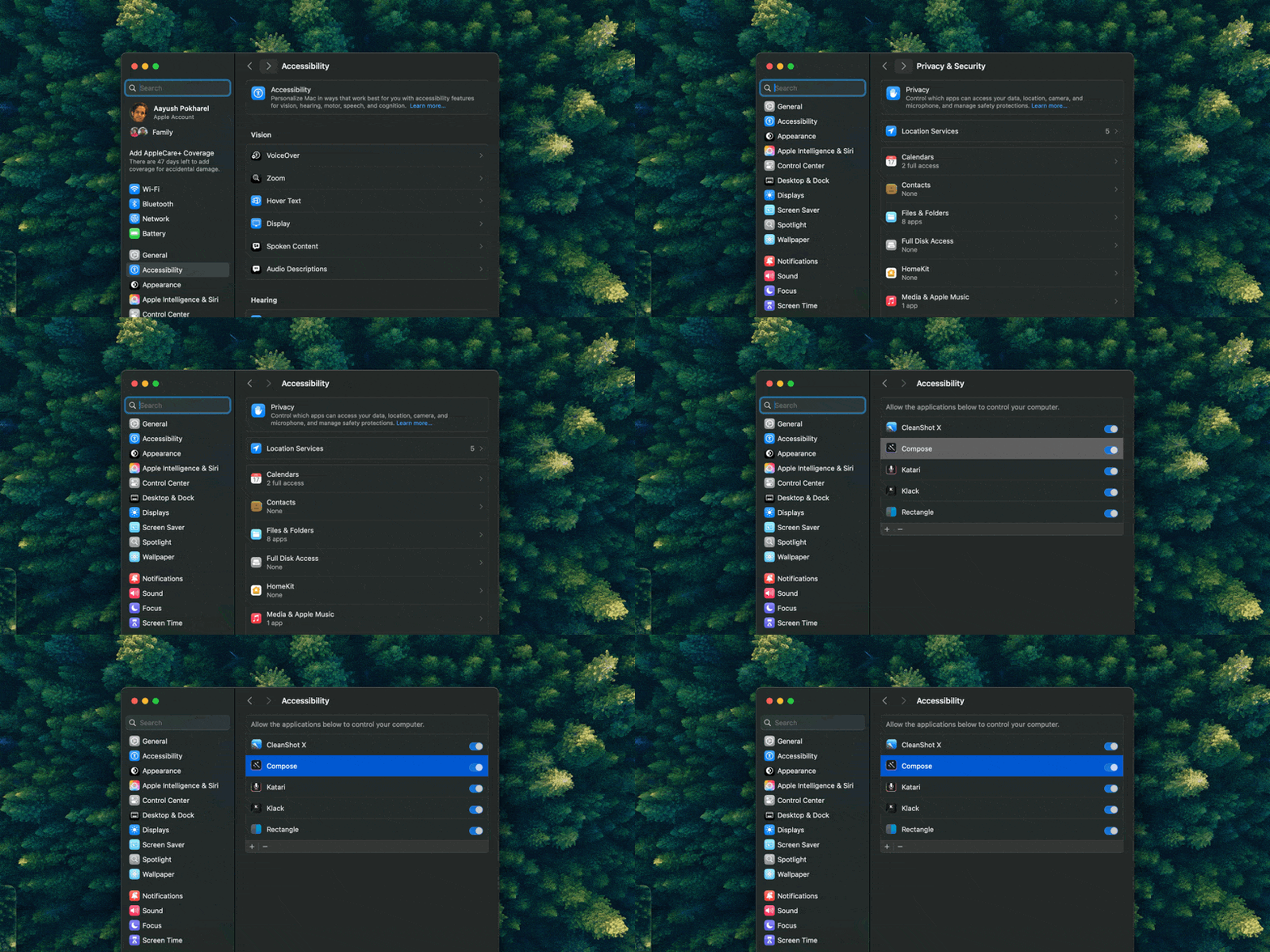
- It asks for one permission. Type Mac needs Accessibility permission to read and replace the selected text. Ask your IT team first if your Mac is managed.
- It lets you choose where text goes. With your own API key for OpenAI, Anthropic, Gemini, Groq, or OpenRouter, the text goes from your Mac to the provider you pick. Keys stay in the macOS Keychain.
Plans are $4.99 a month, or $49.99 a year with a 7-day free trial. See the Apple Writing Tools alternative page for the full feature list.
FAQ
Why is Apple Intelligence not showing in System Settings?
On macOS 27, Apple's guide puts it under Siri. On macOS Tahoe 26, it is under Apple Intelligence & Siri. If neither pane shows it, check the chip: Apple Intelligence does not run on an Intel Mac.
Why do I see Apple Intelligence, but no Writing Tools?
Writing Tools has its own checks, such as the Screen Time setting and the app you use. Follow the Writing Tools not working checklist.
Is Apple Intelligence free?
Apple Intelligence comes with macOS on supported Macs. Apple says some features that use server models have daily usage limits, and that expanded access to those features will cost a fee in the future.
How much storage does Apple Intelligence need on a Mac?
Up to 8 GB on most Macs, and up to 14 GB on Macs with M3 or later and at least 12 GB of unified memory.
Sources
- Get started with the next generation of Apple Intelligence, Apple Support
- Get started with Apple Intelligence on your Mac, Mac User Guide (macOS 27)
- Use Apple Intelligence on your Mac, Mac User Guide (macOS Tahoe 26)
- Get started with Siri AI on Mac, Mac User Guide
- Turn off and restrict access to Apple Intelligence features on Mac, Mac User Guide
- Messages: the Siri settings strings in macOS 27.2.1, read on a Mac with Apple silicon on November 21, 2026
Apple Intelligence off on your Mac? Try Type Mac and get writing help in every app without it.