
Obsidian Grammar Check: Plugins vs a System-Wide Fix
There is no built-in Obsidian grammar check, only a spellchecker. For grammar, install a community plugin: LanguageTool Integration checks many languages through the LanguageTool service or your own server, and Harper checks English on your device. AI plugins such as Proofreader use a model from a provider that you pick.
Plugins underline errors as you type, inside Obsidian only. If you want one tool for Obsidian and every other Mac app, select the text and press a Type Mac shortcut. It uses the AI model that you choose, including your own API key. The comparison is below.
Does Obsidian have grammar check?
No. Obsidian has spellcheck only.
- Open Settings > Editor.
- Under Behavior, turn on Spellcheck.
- To remove words from your custom dictionary, click the gear icon next to the setting.
Obsidian spell and grammar check language
On Windows and Linux, you choose the spellcheck languages in Settings > Editor > Spellcheck languages. On macOS, Obsidian uses the native spellchecker, which detects the language from the system. Grammar plugins have their own language rules, listed in the table below.
Obsidian grammar check plugins compared
| Plugin | How it checks | Languages | Where your text goes |
|---|---|---|---|
| LanguageTool Integration | LanguageTool rules, as you type or on command | Many; detects the language of each note | LanguageTool servers, or your own server |
| Harper | Local grammar engine | English | Stays on your device |
| Proofreader | AI model, suggestions as highlights and strikethroughs | Depends on the model | The AI provider you pick, or a local Ollama model |
Download counts from Obsidian's plugin list on 21 November 2026: LanguageTool Integration about 331,000, Harper about 136,000, and Proofreader about 4,700.
LanguageTool Integration
This plugin works with the free public LanguageTool API, with LanguageTool Premium, or with a server that you host. Run Check Text from the command palette, or turn on Autocheck Text. For a note in a different language, pin the language with the lt-language frontmatter key, for example de-DE. It does not underline text in code blocks, math, or frontmatter.
Harper
Harper is free and open source. It runs inside Obsidian, so your notes do not leave your Mac, and it ignores code fences and inline code. It checks English only.
Proofreader
Proofreader is an Obsidian AI grammar checker. It inserts AI suggestions as ==highlights== for additions and ~~strikethroughs~~ for removals, and you accept or reject each one with a hotkey. It needs an API key from OpenAI, Google, Mistral, or OpenRouter, or a local model through Ollama.
How to install a plugin
- Open Settings > Community plugins.
- Click Turn on community plugins. This turns off Restricted Mode.
- Click Browse, search for the plugin, and click Install.
- Click Enable.
Is there Grammarly for Obsidian?
No. Obsidian's community plugin list has no Grammarly plugin. Grammarly for Mac, the desktop app, says it works in hundreds of desktop apps. Test it in your vault if you already pay for Grammarly.
An Obsidian AI grammar checker without a plugin
Type Mac is a menu bar app that fixes selected text in any Mac app. In Obsidian, you select a paragraph, press a shortcut, and the corrected text replaces it in the note.
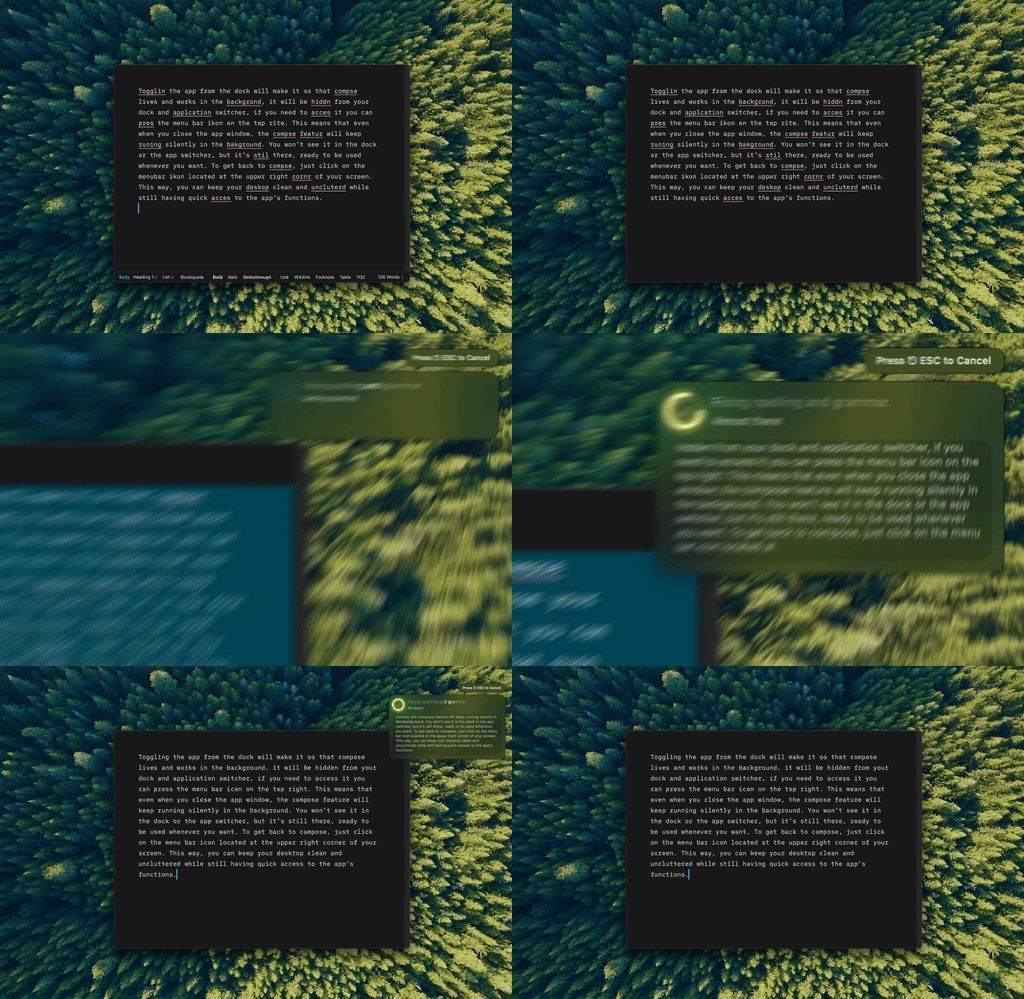
Type Mac: select the text in your note, press the shortcut, and keep writing.
- Select the text that you want to fix.
- Press Command-Shift-Return to fix grammar and spelling.
- Read the change in your note.
For Markdown, make a custom shortcut with a prompt such as "Fix grammar only. Keep all Markdown syntax, wikilinks, and frontmatter as they are." Type Mac leaves links and code as they are. Read the result before you move on.
Why this fits Obsidian users:
- Bring your own key. Use your own API key from OpenAI, Anthropic, Gemini, or Groq, or reach more than 300 models through OpenRouter. Keys stay in the macOS Keychain.
- Text goes where you choose. With your own key, the selected text goes from your Mac to that provider.
- No plugin to update. It works the same in Obsidian, Mail, Slack, and your browser.
- Your own commands. Make shortcuts for the edits that you repeat, such as "turn this into a summary for my daily note."
Type Mac costs $4.99 a month, or $49.99 a year with a 7-day free trial, and every plan includes a built-in model. See the BYOK writing assistant for Mac page.
Plugin or system-wide tool?
- You want underlines as you type, in English, offline: use Harper. Harper also has a desktop app for macOS.
- You write in many languages and want rule-based checks: use LanguageTool Integration. For more on the tradeoffs, read LanguageTool vs Grammarly.
- You want rewrites, not only corrections, in every app: use Type Mac.
If your vault is the base of a larger notes system, see building a second brain for writers. Notion users can read Notion grammar check on Mac.
FAQ
Which Obsidian grammar check plugin is private?
Harper runs on your device, so your text does not leave your Mac. LanguageTool Integration sends text to LanguageTool unless you set it up with your own server.
Does a grammar plugin change my Markdown?
The plugins underline errors and change text only when you accept a suggestion. LanguageTool Integration skips code blocks, math, and frontmatter. Harper ignores code fences and inline code.
Does Obsidian spellcheck work in other languages on a Mac?
Yes. On macOS, Obsidian uses the native spellchecker, which detects the language from your system settings.
Can I use ChatGPT for grammar in Obsidian?
Yes. The Proofreader plugin works with an OpenAI API key. Type Mac also works with your own OpenAI key, in Obsidian and in other apps.
Sources
- Obsidian settings: Editor (Obsidian Help)
- Community plugins (Obsidian Help)
- LanguageTool Integration plugin (GitHub)
- Harper for Obsidian (Harper docs)
- Proofreader for Obsidian (GitHub)
- Obsidian community plugin list and stats (GitHub)
- Grammarly's product offerings (Grammarly Support)
Keep your vault plugin-free and your notes clean. Try Type Mac in Obsidian.