
Apple Intelligence Writing Tools Supported Languages (2026)
The Apple Intelligence Writing Tools supported languages on macOS Tahoe 26 and macOS 27 are 16 languages: English, Danish, Dutch, French, German, Italian, Norwegian, Portuguese, Spanish, Swedish, Turkish, Vietnamese, Chinese (simplified), Chinese (traditional), Japanese, and Korean. Your Mac language and your Siri language must be set to the same language from this list.
If your language is not on the list, Writing Tools shows "Language Not Supported." On macOS 27, the new Write with Siri feature starts with only six languages. The details are below.
Apple Intelligence Writing Tools supported languages list
Here are the Apple Intelligence languages supported on Mac, by macOS version. Apple's macOS Tahoe 26 guide lists seven languages that its macOS Sequoia 15 guide does not. The macOS 27 list is the same as the Tahoe list.
| Language | macOS Sequoia 15 | macOS Tahoe 26 and macOS 27 |
|---|---|---|
| English | Yes (9 regional variants) | Yes |
| French, German, Italian, Spanish | Yes | Yes |
| Japanese, Korean | Yes | Yes |
| Chinese (simplified) | Yes | Yes |
| Portuguese | Brazil only | Yes |
| Chinese (traditional) | No | Yes |
| Danish, Dutch, Norwegian, Swedish | No | Yes |
| Turkish, Vietnamese | No | Yes |
The Sequoia column comes from Apple's macOS Sequoia guide. It lists English for Australia, Canada, India, Ireland, New Zealand, Singapore, South Africa, the UK, and the U.S.
Write with Siri languages on macOS 27
macOS 27 adds Siri AI (Beta). With Siri AI on, Apple points you to Write with Siri to compose, rewrite, and proofread. Siri AI is available "in English, French, Japanese, Korean, Portuguese, and Spanish to start."
That gap matters. A Mac set to German, Italian, or Swedish gets Writing Tools on macOS 27, but not Write with Siri. Apple lists Writing Tools on macOS 27 for users without Siri AI writing support, so those users keep the Writing Tools menu.
Features with a shorter language list
Some Apple Intelligence writing features on Mac support fewer languages than the full list:
| Feature on macOS 27 | Languages |
|---|---|
| Writing Tools (Proofread, Rewrite, Summarize) | All 16 |
| Siri AI and Write with Siri (Beta) | English, French, Japanese, Korean, Portuguese, Spanish |
| Suggestions in Mail | English only |
| Personalized Smart Reply in Messages | English only |
Apple also says that some features are not available in all regions or languages, so a language on the list does not guarantee every feature.
Why does Apple Intelligence say language not supported?
There are two different checks. One is about your Mac settings. The other is about the text you select.
Your Mac or Siri language
Apple Intelligence runs only when the Mac language and the Siri language are the same supported language. On macOS 27.2.1, the Siri pane in System Settings shows one of these messages when they are not:
- "Apple Intelligence is not available when Mac is set to [language]."
- "Apple Intelligence is not available when Siri is set to [language]."
- "Apple Intelligence requires that Mac and Siri are set to the same language."
To fix it:
- Open System Settings > General > Language & Region.
- Drag a supported language to the top of Preferred Languages.
- Open the Siri pane (Apple Intelligence & Siri on macOS Tahoe 26), and set the same language under Language.
- Wait for the download. Apple says Apple Intelligence can stay unavailable until the new Siri language downloads and matches the device language.
The language of the selected text
The second check is about the text itself. If you select text in a language outside the list, Writing Tools shows "Writing Tools only work with text in a supported language." No setting changes this. Every Writing Tools Unavailable message, with its fix, explains the other errors that appear in the same panel.
Apple Intelligence languages available by region
Language is one rule. Region is another.
- China mainland: Apple Intelligence does not work on supported devices bought in China mainland. On devices bought elsewhere, it does not work when you are in China mainland and your Apple Account country or region is also China mainland.
- European Union: Apple says the next generation of Apple Intelligence features is available to EU users with macOS 27 on supported Macs. Apple's note about Siri AI not being initially available in the EU names iOS, iPadOS, and watchOS.
- Travel: Apple says Apple Intelligence continues to work when you travel to other regions.
If System Settings shows "Apple Intelligence is not available in your country or region.", see the other reasons Apple Intelligence does not show.
Writing in a language Apple does not list
Polish, Hindi, Arabic, Ukrainian, Greek, Czech, and many other languages are not on Apple's list. Mixed-language work, such as an English reply to a French email, also needs more than a proofreader.
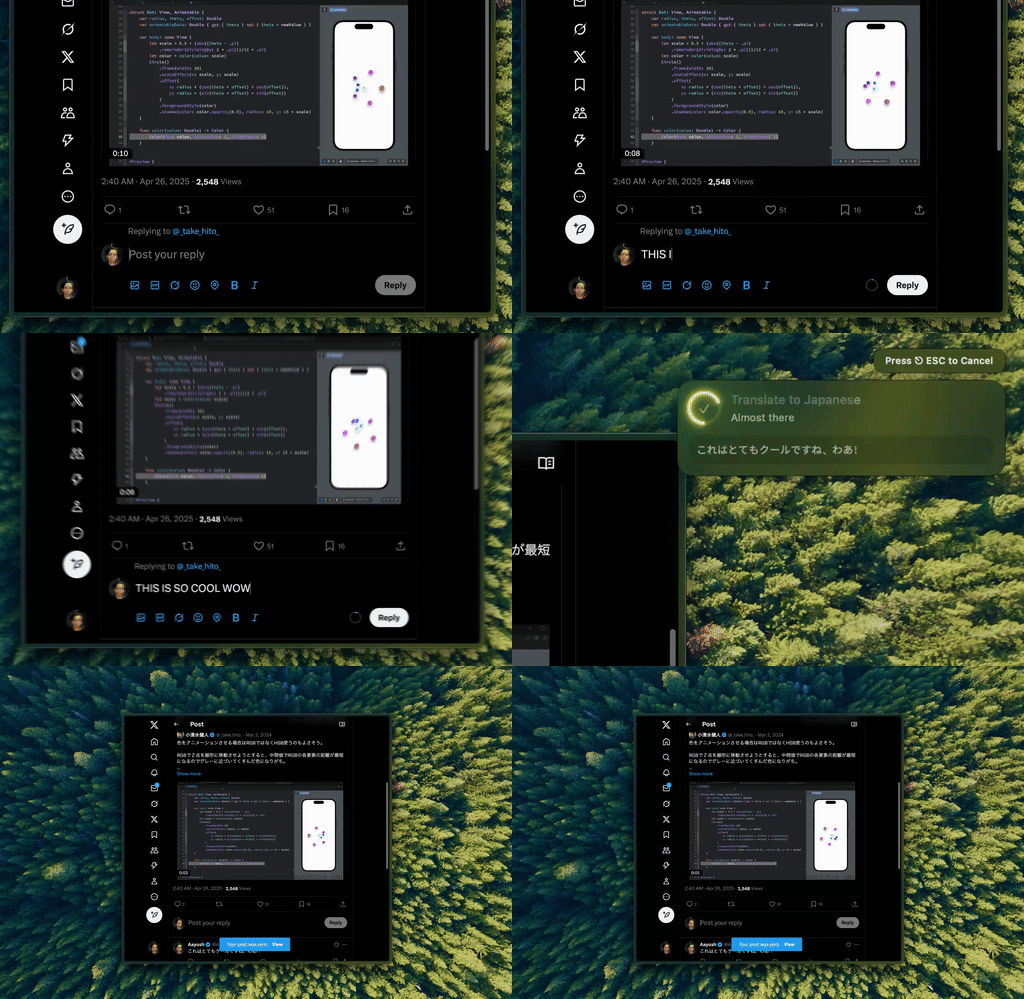
Type Mac fixes and translates the selected text in place, in any Mac app, with one keyboard shortcut.
Type Mac has no fixed language list:
- It keeps your language. Type Mac edits the text in the language you wrote it in, unless your shortcut asks for a translation.
- It translates on a shortcut. Make a shortcut such as "Translate to English and keep the tone," and the translation replaces your selection.
- It works in every app. Mail, Slack, Notes, browsers, and code editors all use the same shortcut.
- You pick the model. Use the built-in model, or add your own key for OpenAI, Anthropic, Gemini, Groq, or OpenRouter. The quality in each language depends on the model, so test your language during the trial.
Type Mac runs on Intel and Apple silicon Macs with macOS Sonoma 14.1 or later. Plans are $4.99 a month, or $49.99 a year with a 7-day free trial. See translate selected text on Mac for the translation workflow, or the best AI tools for non-native English speakers for more options.
FAQ
Does Writing Tools work in Spanish?
Yes. Spanish is on the list for macOS Sequoia, macOS Tahoe, and macOS 27. Set the Mac language and the Siri language to Spanish.
Does Apple Intelligence support Hindi or Arabic?
No. Neither language is on Apple's list of 16 supported languages for macOS 27.
How many languages does Apple Intelligence support on Mac?
Sixteen on macOS Tahoe 26 and macOS 27. Siri AI (Beta) on macOS 27 starts with six of them.
Why does Writing Tools say language not supported when my Mac is in English?
The check also looks at the selected text. If the text is in a language outside the list, Writing Tools shows "Writing Tools only work with text in a supported language."
Sources
- Get started with the next generation of Apple Intelligence, Apple Support
- Use Writing Tools to write, improve, and summarize content on Mac, Mac User Guide (macOS 27, macOS Tahoe 26, and macOS Sequoia 15 versions)
- Siri AI: Write with Siri on Mac, Mac User Guide
- Change the language your Mac uses, Mac User Guide
Write in a language Apple does not list? Try Type Mac and fix or translate text in any app.