
DeepL Write vs Grammarly: Which Is Better for English?
DeepL Write vs Grammarly is a choice between a rewriter and a checker. DeepL Write takes a passage and hands back an improved version, with word and sentence alternatives and a choice of style and tone. Grammarly stays in your apps, underlines problems as you type, and lets you accept fixes one at a time.
For non-native English writers, the short answer: choose DeepL Write when you want a whole paragraph to sound natural, and choose Grammarly when you want every email checked without asking. This is the Type Mac blog, and the last section shows where Type Mac fits, so read that part with our bias in mind. All facts about DeepL and Grammarly come from their own pages on November 21, 2026.
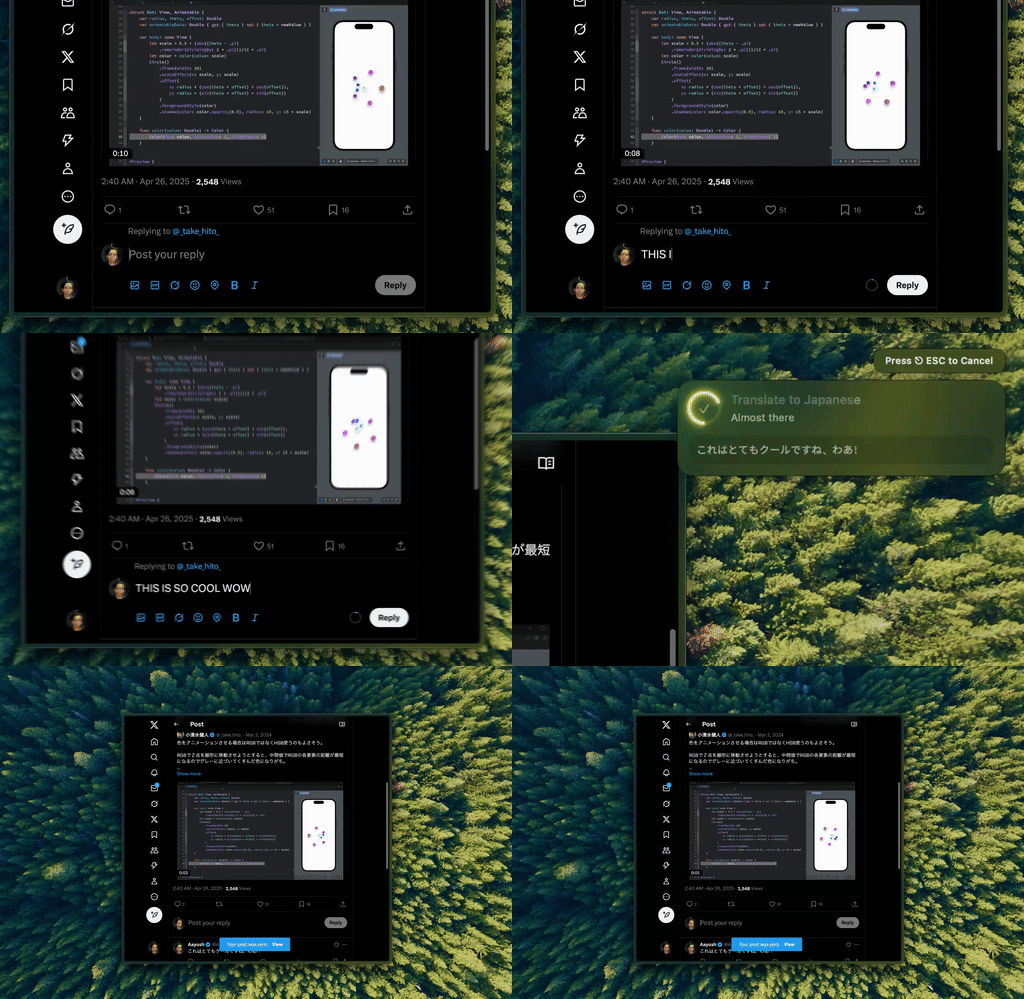
Type Mac: rewrite or translate the selected text in place, in any Mac app, without a browser tab.
DeepL Write vs Grammarly at a glance
| DeepL Write | Grammarly | |
|---|---|---|
| How it works | Paste or select text, get an improved version | Underlines issues as you type |
| Languages | 11 language options in DeepL's help center | 23 languages; advanced suggestions in 6 |
| Styles and tones | 4 styles, 4 tones (not in Chinese, Japanese, Korean) | Tone detection free; tone adjustment in Pro |
| Mac app | DeepL for Mac, macOS 15 or later | Grammarly for Mac, macOS 10.15 or later |
| Free limit | 1,500 characters at a time without an account | 3 advanced suggestions a day, 100 AI prompts a month |
| Paid plan | Write Pro, priced by region | Pro: $12 a month billed yearly, $30 billed monthly (USD) |
| Extra checks | None listed | Plagiarism and AI-text detection in Pro |
A real non-native sentence
Take a line a non-native writer sends every week:
I am agree with your proposal and I will send you the documents until Friday.
The sentence has two classic errors: "am agree" and "until" in place of "by." The two tools treat it in different ways.
- Grammarly marks each error where it sits. You click each underline and accept or skip the fix, so you see every change and learn the pattern.
- DeepL Write returns a corrected sentence in a second panel, with the changes marked in green. Click any word for alternatives, or ask for a rephrased sentence, a different style, or a shorter version.
The checker teaches. The rewriter saves time. Which one is better for English depends on whether you want to learn the rule or send the email.
DeepL Write or Grammarly for non-native English
DeepL Write is stronger when the whole sentence sounds translated, not only wrong. Its styles (Simple, Business, Academic, Casual) and tones (Enthusiastic, Friendly, Confident, Diplomatic) change the register of a full text in one step. It can also rewrite British English into American English, or the reverse.
Grammarly is stronger when you write all day in many apps. It checks Word, Outlook, Apple Mail, and other apps as you type, supports five English varieties (American, British, Canadian, Australian, Indian), and gives red-underline fixes for free in 23 languages. Pro adds full-sentence rewrites, tone adjustment, and paragraph rewrites in English, Spanish, French, German, Portuguese, and Italian.
One note on DeepL's language list: its help center lists Chinese, English (UK and US), French, German, Italian, Japanese, Korean, Portuguese (Portugal and Brazil), and Spanish. Its Write Pro page names six of those and says more are coming. Check both if you write in Chinese, Japanese, or Korean.
DeepL Write Pro vs Grammarly Pro
| DeepL Write Pro | Grammarly Pro | |
|---|---|---|
| Limits | No character limit | 2,000 AI prompts per member a month |
| Your text | Not stored while you are logged in | SOC 2 (Type 2) report, per Grammarly's plans page |
| Team tools | Style rules applied to every suggestion | Style guide, brand tone, snippets, analytics |
| How you buy it | Add-on to DeepL Individual or Team; listed in the Business plan | One plan, up to 149 seats |
| Price | Shown by country and currency on deepl.com/pro | $144 a year or $30 a month (USD) |
DeepL's pricing page changes with your country and currency, so this post gives no DeepL number. Grammarly charges a fixed global price in US dollars, with regional pricing in euros, pounds, and rupees at checkout. Our Grammarly price breakdown has the details.
DeepL Write for Mac
DeepL for Mac is a free download that needs macOS 15 or later. It has two shortcuts:
- ⌘+C+C (hold ⌘ and type C twice) translates the selected text in a small window.
- Ctrl+⌘+C improves the selected text. DeepL's help center says your text "will be copied into the app and improved there," so you copy the result back into your document.
You can change both shortcuts in the DeepL app under Settings > Keyboard shortcut. DeepL Write also runs in DeepL's browser extensions, Google Docs, Gmail, and Microsoft Word.
DeepL Write vs ChatGPT
ChatGPT takes any instruction, such as "make this sound less formal and cut it to three sentences." DeepL Write gives you fixed controls: corrections, styles, tones, alternatives, and Shorten. That makes DeepL faster for routine polishing and ChatGPT better for unusual requests. Both keep the result in their own window. If you use ChatGPT this way, read our Grammarly vs ChatGPT comparison.
DeepL Write vs LanguageTool
LanguageTool is a checker, like Grammarly. It covers more than 30 languages, and its Mac app underlines errors in Apple Mail, Messages, Notes, and (in beta) Word, Slack, and Teams. DeepL Write covers fewer languages but rewrites the full text. If you write in a language DeepL Write does not list, LanguageTool is the better fit. Our LanguageTool alternatives post compares more options.
Where Type Mac fits
DeepL Write and Grammarly both make you choose: a rewrite in a separate window, or checks that stay sentence by sentence. Type Mac does the rewrite in place. Select text in Mail, Slack, Word, or a browser, press a shortcut, and the improved text replaces your selection.
- Fix Writing (⌘⇧Return) corrects grammar and spelling.
- Custom shortcuts save your own instructions, such as "rewrite in natural business English" or "translate to English."
- Model choice: a built-in model on every plan, or your own OpenAI, Anthropic, Gemini, Groq, or OpenRouter key.
- Price: $4.99 a month, or $49.99 a year with a 7-day free trial.
Type Mac has no free plan, no style rules for teams, and no iPhone app. For more on writing in a second language, see AI tools for non-native English speakers and write better English on Mac.
FAQ
Is DeepL Write free?
Yes, with limits. Without an account you can improve up to 1,500 characters at a time. Write Pro removes the limit and does not store your texts while you are logged in.
Is Grammarly better than DeepL for English?
For continuous checking in every app, yes. For rewriting a full paragraph so it sounds natural, DeepL Write is the faster tool.
Does DeepL Write work in Word?
Yes. DeepL lists DeepL for Microsoft Word among the platforms for DeepL Write, next to Google Docs, Gmail, and its browser extensions.
Which languages does DeepL Write support?
DeepL's help center lists Chinese, English (UK and US), French, German, Italian, Japanese, Korean, Portuguese (Portugal and Brazil), and Spanish. Styles and tones do not work in Chinese, Japanese, or Korean.
Sources
- About DeepL Write (DeepL Help Center)
- Customize your text with DeepL Write (DeepL Help Center)
- Use DeepL shortcuts for desktop apps (DeepL Help Center)
- DeepL Write Pro
- DeepL for Mac
- DeepL Pro pricing
- Grammarly languages
- Grammarly plans
- LanguageTool for macOS
Want natural English in place, in every Mac app? Try Type Mac free for 7 days on the yearly plan.